
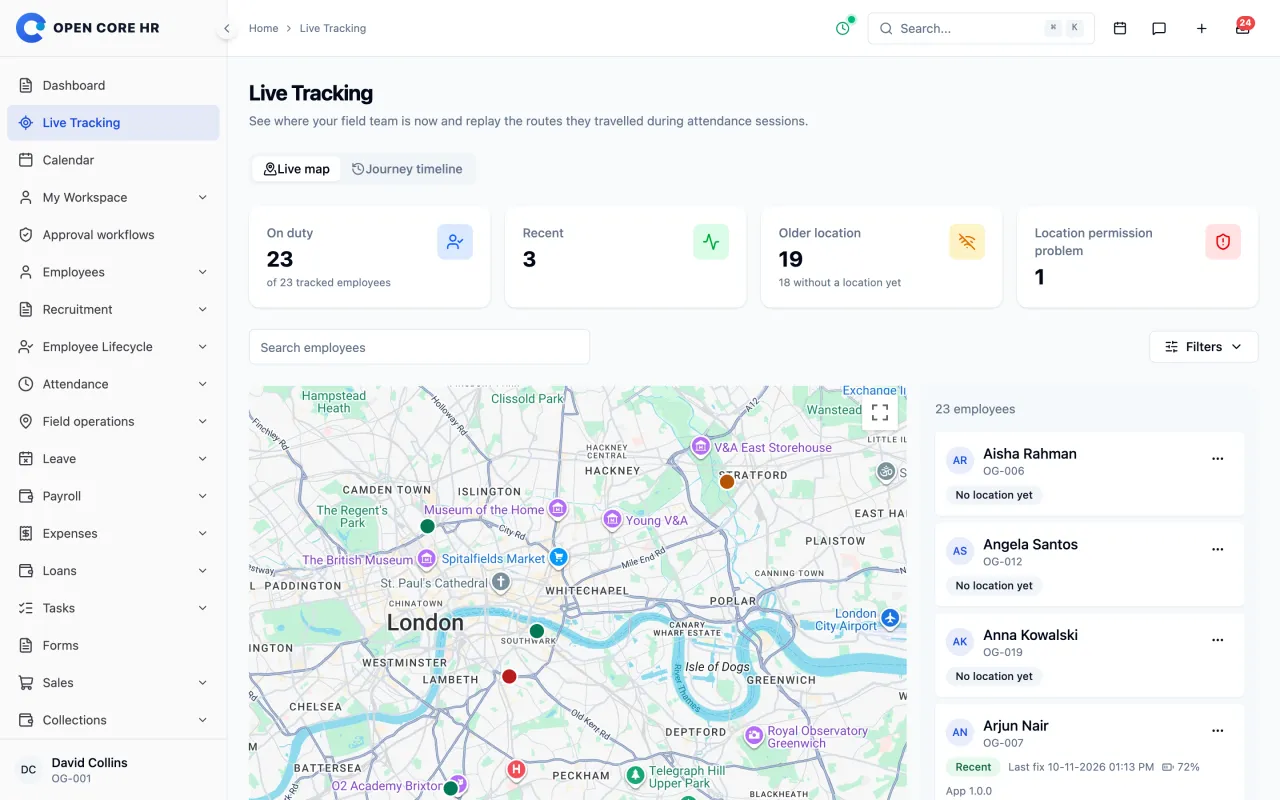
The field rep lost signal. What does the manager’s map show?
Read the timestamp beside the pin before calling your rep. A phone can save work-route points while the office still sees an earlier location.

Imagine a rep leaves a warehouse at 9:10 a.m. and drives through an area with patchy mobile coverage. At 9:25 a.m. the map still shows the warehouse. The office knows where it last received a usable position. The rep's whereabouts at 9:25 a.m. are still an open question.
Read the two screens in order
On the manager's web map, check when the last position arrived and whether the employee shows as stale, has no location yet, or has a reported permission problem. A gap on the route can have several causes. A phone without a usable GPS fix cannot reconstruct those missing points later.
On the employee's phone, the Today card indicates whether location sharing is active. Its sync indicator shows saved points waiting to send or points the server refused. When a connection returns, queued samples can upload. An earlier day's figures may change once those samples have been processed. The first map screenshot and the later journey timeline can therefore tell different parts of the same story.
A simple acceptance check before rollout
Use a sample employee and two people. One checks in on a phone with tracking enabled and the required permissions. The other writes down the timestamp on the manager's map. During a short walk, interrupt the phone's data connection while leaving location services on. Check what the phone queues and what the map shows. Reconnect, compare timestamps, then check out. Repeat on the actual phones your field team uses.
Keep the answers with the device model and permission settings. A test with an unlocked phone doesn't establish how that device behaves after twenty minutes in a pocket. Read what Open Core HR records and how to interpret route gaps.
Keep a short test record
| Stage | Record on the phone | Record on the manager's screen |
|---|---|---|
| Before losing data service | Employee, device, permissions and local time | Last received location and timestamp |
| During the connection gap | Saved work and any pending-sync indicator | Timestamp beside the last known position |
| After reconnection | Whether pending work clears or shows a refusal | Which records arrive and their recorded times |
| After checkout | Whether the phone shows sharing has stopped | Session end and the remaining route history |
Use fictional customer details and repeat the test with the phones your crew carries. A technician walking through a warehouse and a sales rep driving between accounts may encounter different gaps. Keep the duration of each gap in the record.
Use the same sheet when evaluating another app. The GPS time-clock comparison helps you shortlist tools. Your device test shows how the selected plan behaves on your route.


Comments 0
No comments yet. Start the conversation.