
Attendance rules that fit office, field and remote staff.
Employees check in from the web or the app. Each policy decides what proof is needed, from nothing at all to a registered phone, an office network, a geofence or a selfie, combined the way you choose. Managers see what needs review and why.
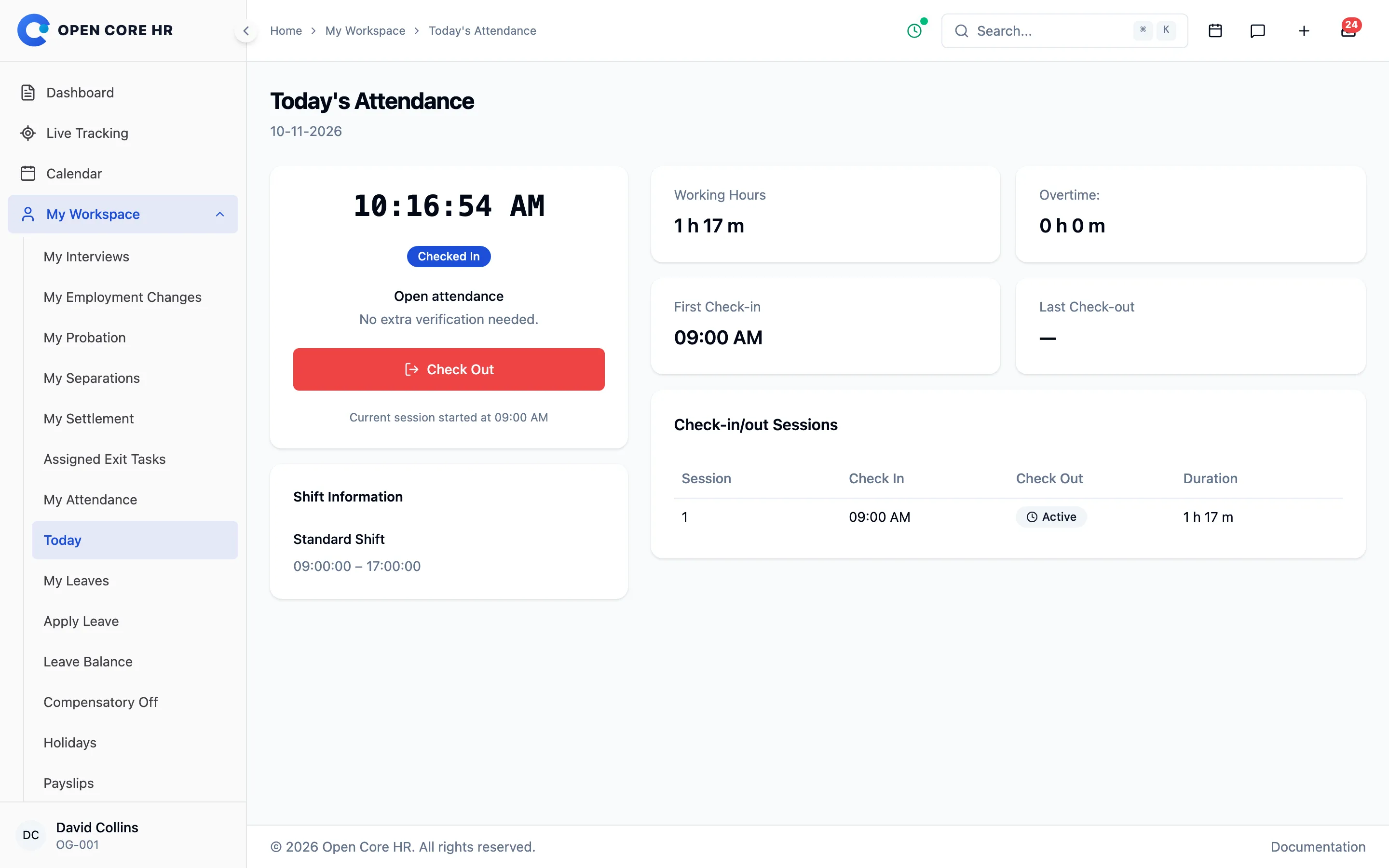


Check in from the browser or the phone
Employees see what their policy needs before they record, then check in, take breaks and check out from the top bar, the dashboard or the app.
-
Web and mobile check-in Record attendance from the top bar, the dashboard card or the app, on the channels the policy allows.
-
Breaks, sessions and night shifts Take breaks, check in more than once a day, and keep work after midnight on the day the shift started.
-
Today’s status See what your policy needs, such as location or a selfie, before you record.
-
Safe on a weak signal A lost response is retried, and a check-in never turns into a check-out by mistake.
-
My attendance history Past days, monthly summaries and each session, break and location for the day.
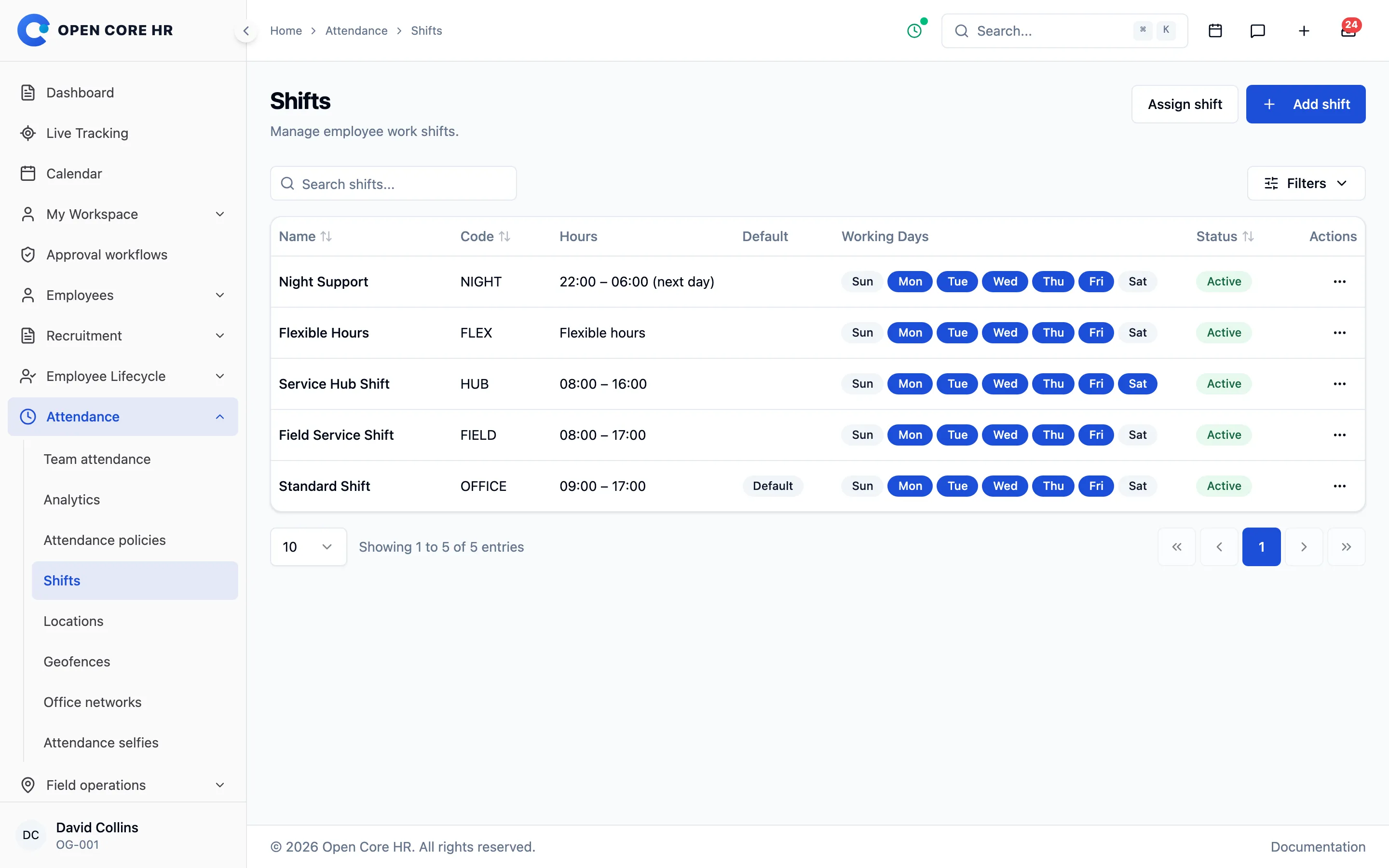
Fixed shifts, flexible windows and grace periods
Set working days and hours for each shift, and schedule changes from a future date so employees are told before they happen.
-
Fixed and flexible shifts Working days, start and end times and a grace period for late arrival, or a flexible work window.
-
Dated shift changes Schedule a shift change from an effective date, and employees get an in-app and push notice.
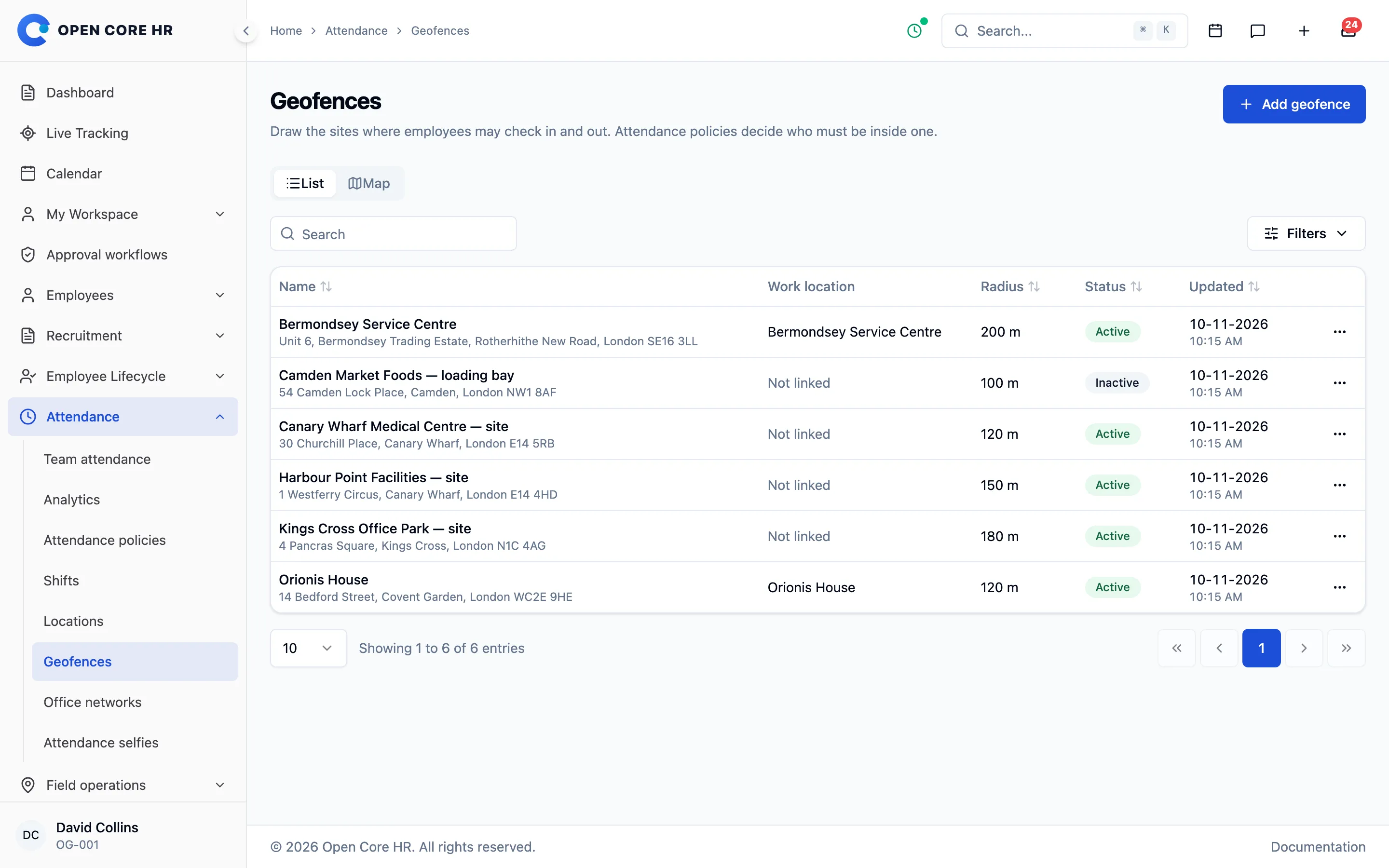
Decide what proof each check-in needs
Give the company, a shift or one employee their own policy, with separate rules for check-in and check-out.
-
Named attendance policies A default policy, plus policies per shift or per employee, with separate check-in and check-out rules.
-
Combine checks with and/or For example, office network or geofence plus selfie, and employees are told why when a check fails.
-
Open attendance Policies can also ask for no proof at all, for teams that do not need it.
-
Location evidence retention Location kept on refused attempts is deleted after the number of days you choose.
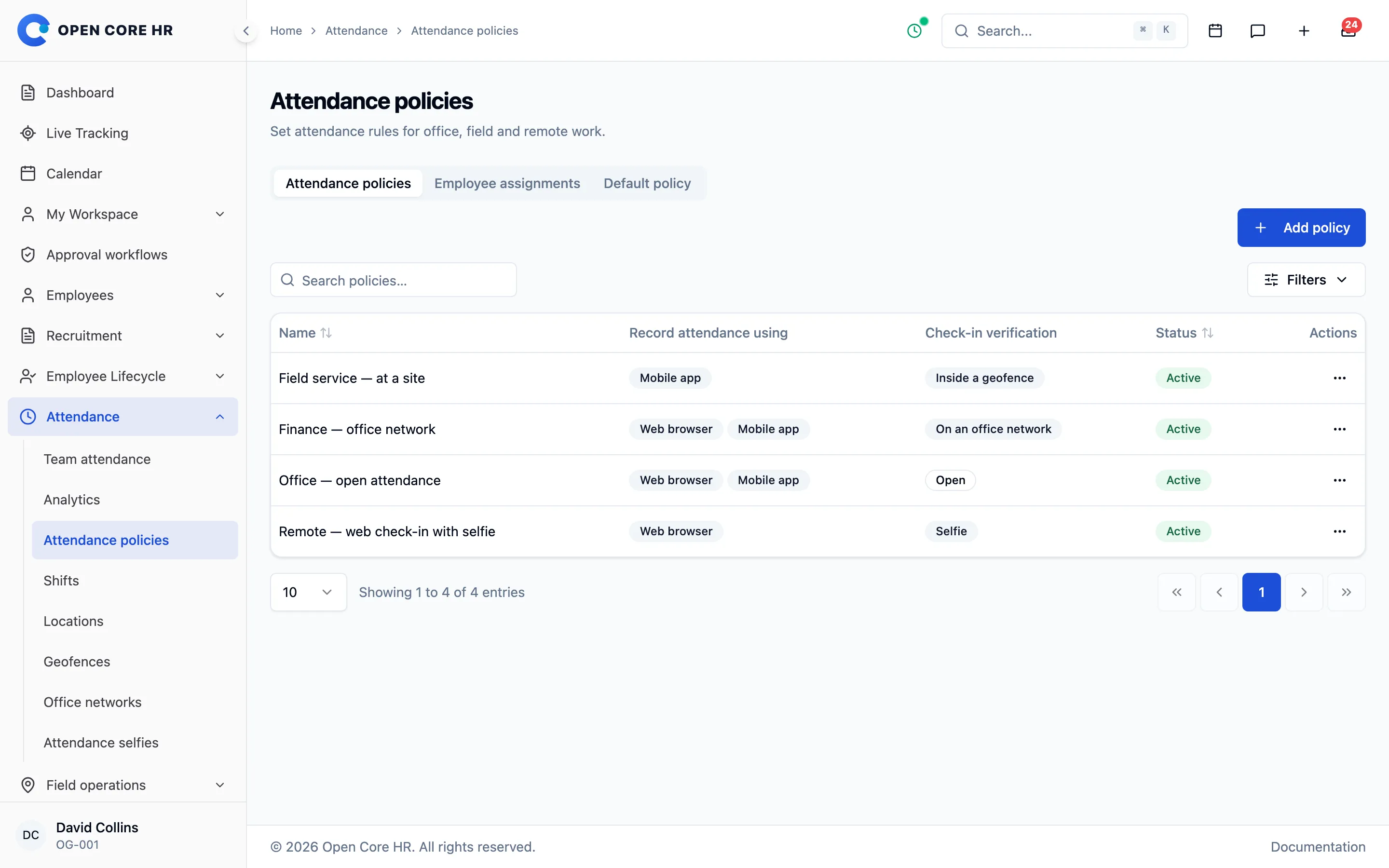
Check in only at the right place
Limit check-in to areas you draw on a map or to your office networks, and refuse positions faked by location-spoofing apps.
-
Geofence attendance Add-on Allow check-in only inside circles of 20 m to 10 km drawn on a map, per site or work location.
-
Office network attendance Add-on Allow check-in only from office IP addresses or ranges, including IPv6, set up from your current connection.
-
Fake locations refused Positions from mock or simulated location apps are rejected on the phone.
Stop colleagues checking in for each other
A selfie at the moment of the punch and one registered phone per employee make buddy punching hard, without adding steps for honest staff.
-
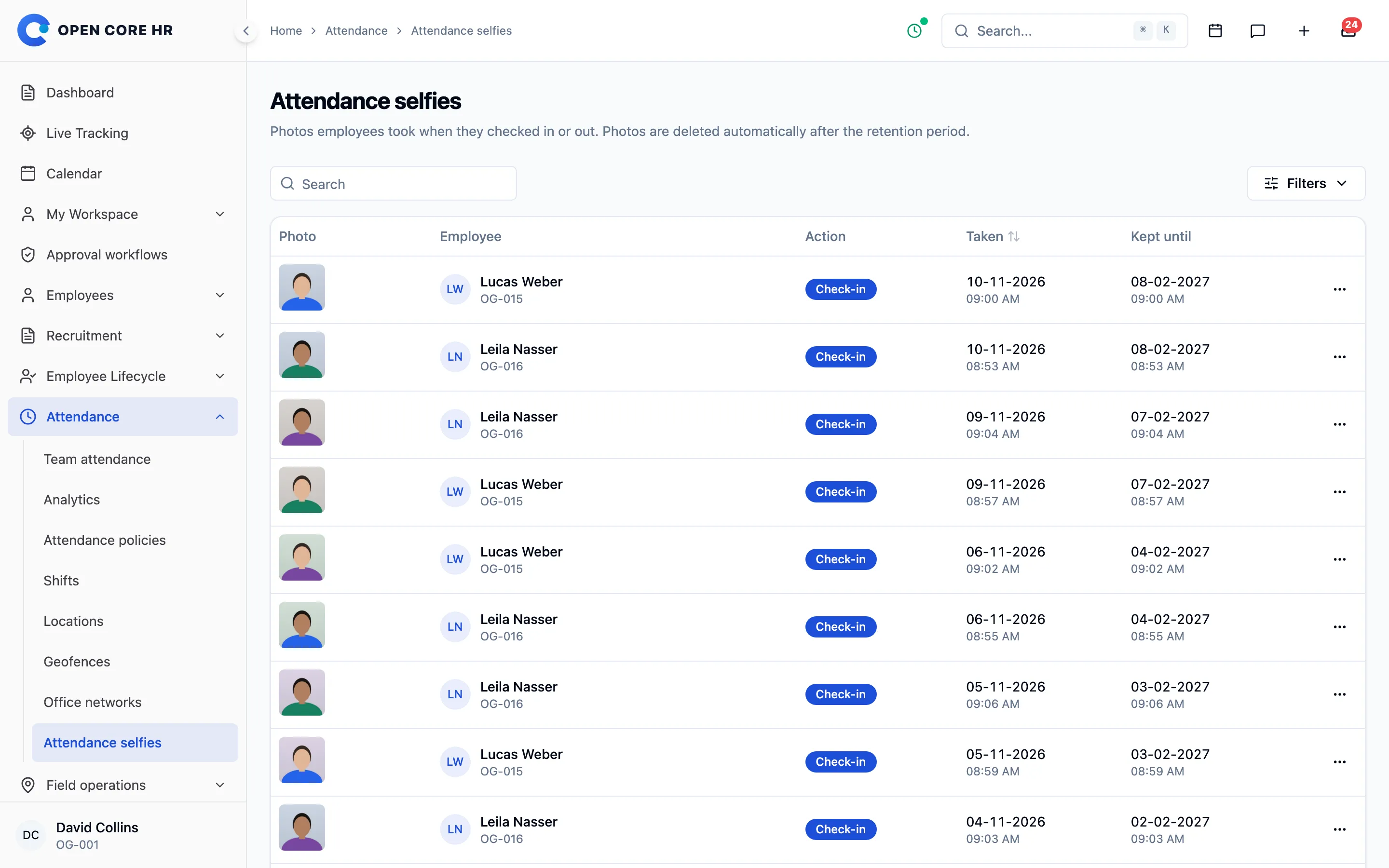
Selfie attendance Add-on A front-camera photo taken at the punch, used once, kept private and deleted after 1 to 730 days.
-
Registered attendance phone One active phone per employee, so nobody can check in for an absent colleague, with no extra step.
-
Phone registration approval Register the first phone automatically or approve every phone, and revoke lost ones.
-
Attendance phones per employee Each phone’s status and last use on the employee profile, with revoke.
-
Privacy-light phone check Only a hash of a secret is stored, and no device telemetry is collected.
See what went wrong, and fix it
Sessions left open, late arrivals and refused attempts are listed with their reasons, so managers can correct records instead of guessing.
-
Team attendance records Filter by still checked in, late, early departure, overtime or corrected, with the shift that applied that day.
-
Needs review queue Sessions left open past the shift end and refused attempts nobody has looked at yet.
-
Attendance correction requests Employees ask to fix a forgotten check-in or check-out or a wrong time, on the web or in the app, and the day changes only after approval.
-
Direct fixes with limits Managers and HR fix a day directly. Set how far back and how often employees can ask, and days in an approved payroll run stay locked.
-
Close forgotten sessions Managers close a session at the real stop time, and the record is marked as corrected.
-
Refused attempts log Every refused punch is kept with its reason, channel, the message shown and its location.
Happening now
- Emily Roberts checked in at Orionis TowerGeofence and selfie · on time
- Check-in refused for Rahul MenonPhone not registered · request sent to HR
- Paolo Reyes arrived late22 min after the grace period
- New phone approved for Rahul MenonPrevious phone revoked by Sarah Mitchell
- Session closed at 18:10Anna Kowalski forgot to check out yesterday
- Maria Lopez checked in on the office networkLondon HQ · 10.20.0.0/16
Punctuality and hours, by team and period
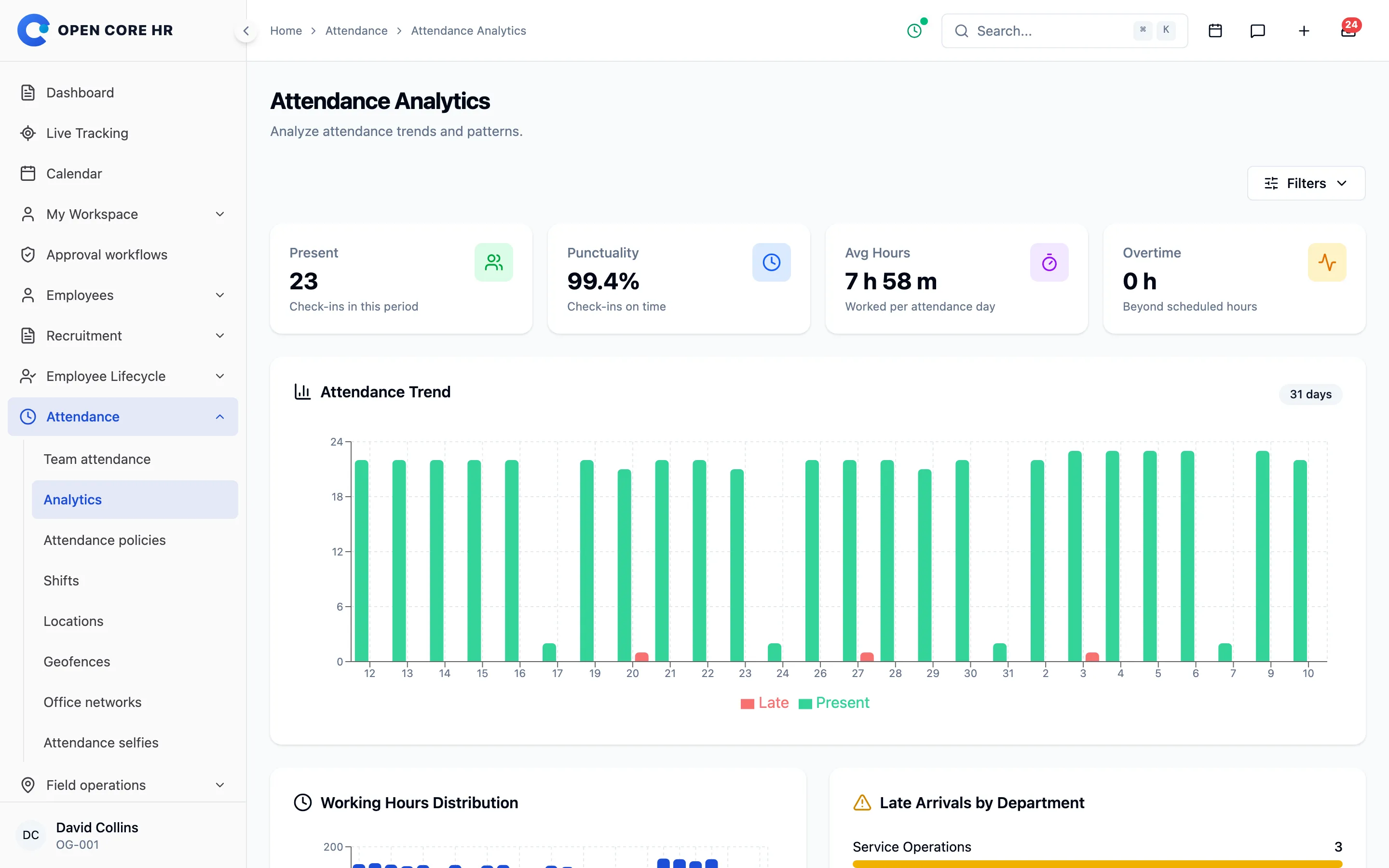
Follow trends, compare departments and spot unusual days over 7, 30 or 90 days or a range you choose.
-
Attendance analytics Trends, punctuality, working hours, department comparison, tracking quality and a list of anomalies.
-
Attendance report Add-on Records, times and hours for a month or up to 93 days, as Excel or CSV.
Explore every part of Open Core HR
CZ App Studio
Give your people a better place to work.
Tell us how your company works. We’ll help you find the right Core, add-ons and installation approach.