
Know where your field team is, and what every visit achieved.
Plan weekly routes, check in at customer sites with location proof, follow the day on a live map and replay the route afterwards. Orders, payments, forms and tasks are captured on the same visit, in the same app your team uses for attendance and leave.
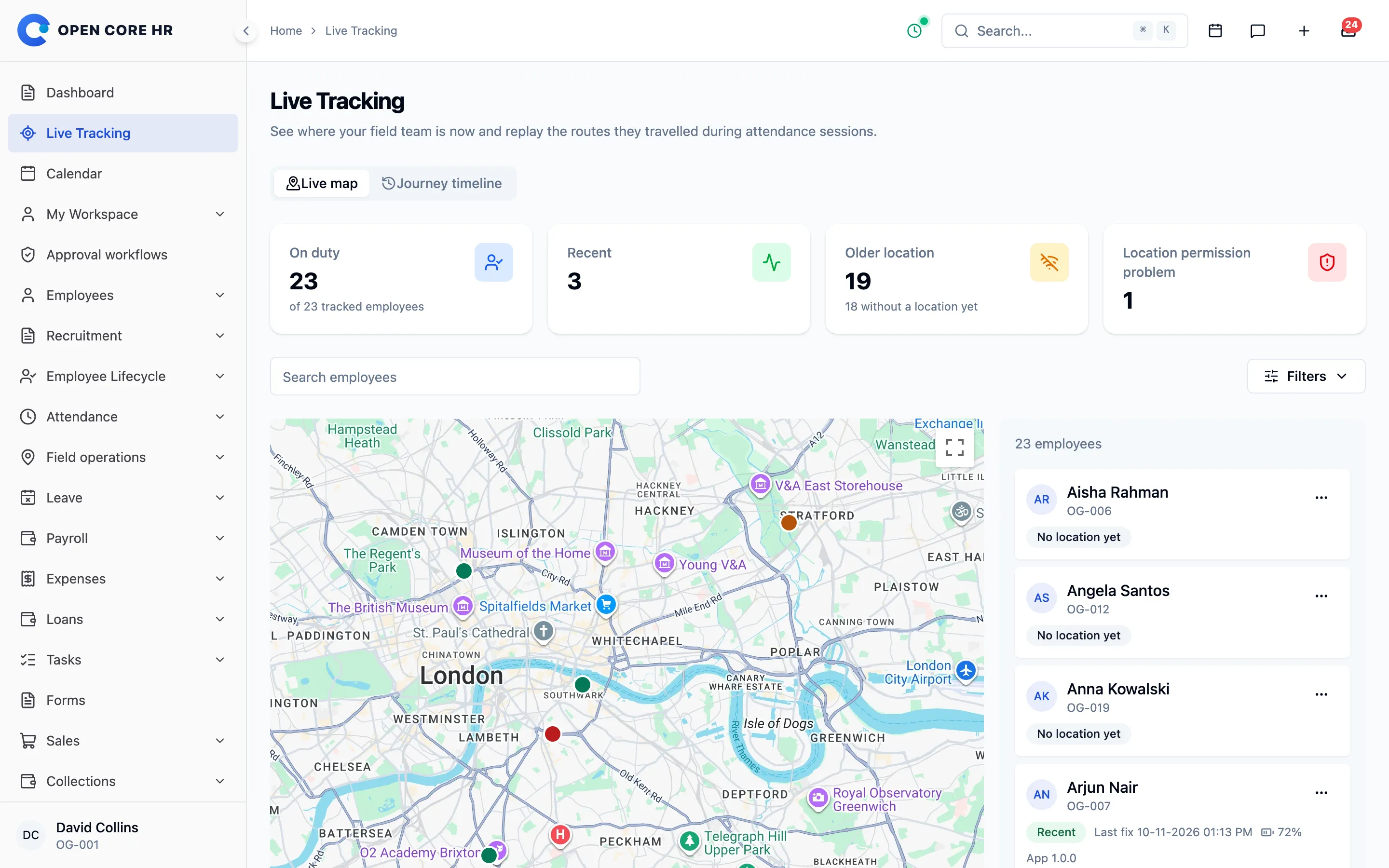


See the whole team on one map
Everyone on duty appears with their latest position, so you can answer “who is closest?” without a phone call. Tracking runs only during an attendance shift.
-
Live map of everyone on duty Latest position, current visit, battery and app version for each rep, refreshed every 30 seconds.
-
Clear tracking status Recent, older location, no location yet or a location permission problem, so you know which positions to trust.
-
Device health Battery level, network and permission state reported by the phone, with alerts when tracking stops.
-
Background tracking Starts and stops with attendance, keeps working with the app closed, and stores points while offline.
-
Tracks work time only Location is recorded during an attendance shift and old coordinates are removed after your retention period.
-
Battery or detail profiles Choose how often positions are sampled, how long sessions last and how long coordinates are kept.
Replay any rep’s day, stop by stop
Pick an employee and a date to see where they went, how long they stayed and how far they travelled, with every customer visit in order.
-
Journey timeline Distance, time on the move, time stopped and every customer visit for the day.
-
Play route Replay the day on the map to see the order of stops and the roads taken.
-
Coverage gaps Periods with no location are shown, not hidden, so the timeline stays honest.
-
Export and raw points Download the day’s route as CSV, or inspect each recorded point with its accuracy.
- Checked in to shiftOrionis Tower · inside the office geofence
- Canary Wharf Medical Centre35 min · order £1,240
- Harbour Point Facilities40 min · payment collected
- Kings Cross Office Park30 min · follow-up booked
- Camden Market Foods45 min · store audit form
- Checked outShift ended · 8 h 58 min
Plan the route once. Visits appear every week.
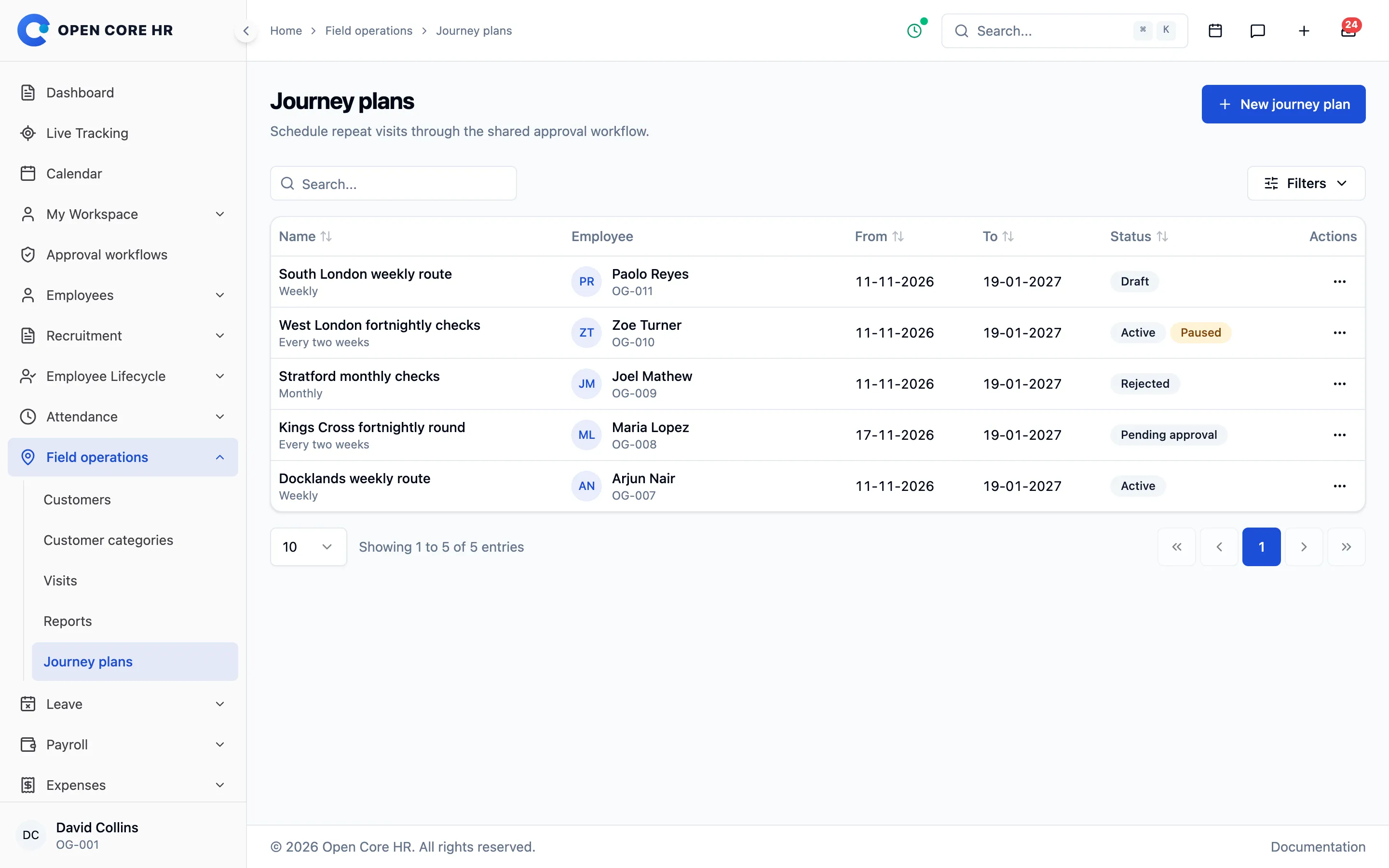
Build a weekly, fortnightly or monthly route with customers in the order you want them visited. Once approved, the plan creates the visits for you.
-
Recurring journey plans Add-on Weekly, fortnightly or monthly routes with customers in visiting order for each day.
-
Copy a day to other days Add-on Repeat Monday’s route on Wednesday and Friday in one step, on the web or in the app.
-
Plan approval Add-on Reps draft plans from their phone, and approved plans create visits 30 days ahead.
-
Pause, resume and revise Add-on Pause a plan during leave. While a revision waits for approval, the approved route keeps running.
-
One-off visits Schedule a single visit for any employee and date, or reassign a planned visit to a colleague.
-
Follow-up visits Book the next visit to a customer before leaving the current one.


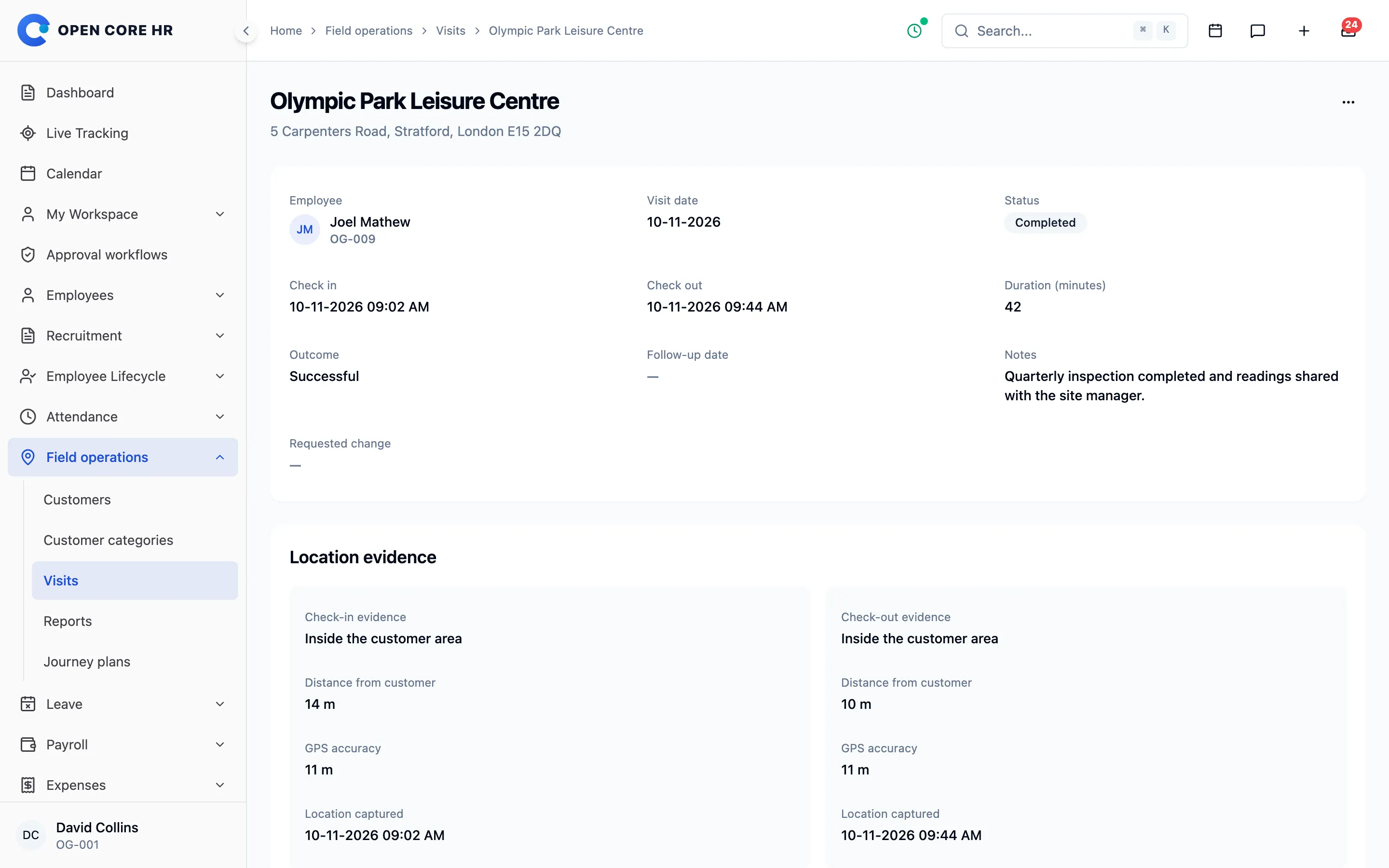
Check-ins that prove the visit happened
Reps check in and out at the customer from the mobile app. The visit records the position, time, notes, photos and outcome, even without a signal.
-
Check in and check out Arrival and departure times with the rep’s position, recorded from the mobile app.
-
Location boundaries For each check-in and checkout, choose to ignore, warn or block when the rep is too far from the customer.
-
Location evidence Each visit shows whether the phone was inside the customer area, how far away it was and the GPS accuracy.
-
Notes, photos and outcomes Require a note, up to 10 photos or an outcome before a visit can be completed.
-
Attendance before visits Optionally allow visits to start only after the rep has checked in to work.
-
Works offline Visits started without a signal are saved on the phone, encrypted, and sent when the connection returns.
-
Unplanned visits Let reps add a visit for an assigned customer when an opportunity comes up.
-
Visit corrections Reps request a correction and managers fix a visit with a reason, while the history keeps the old values.


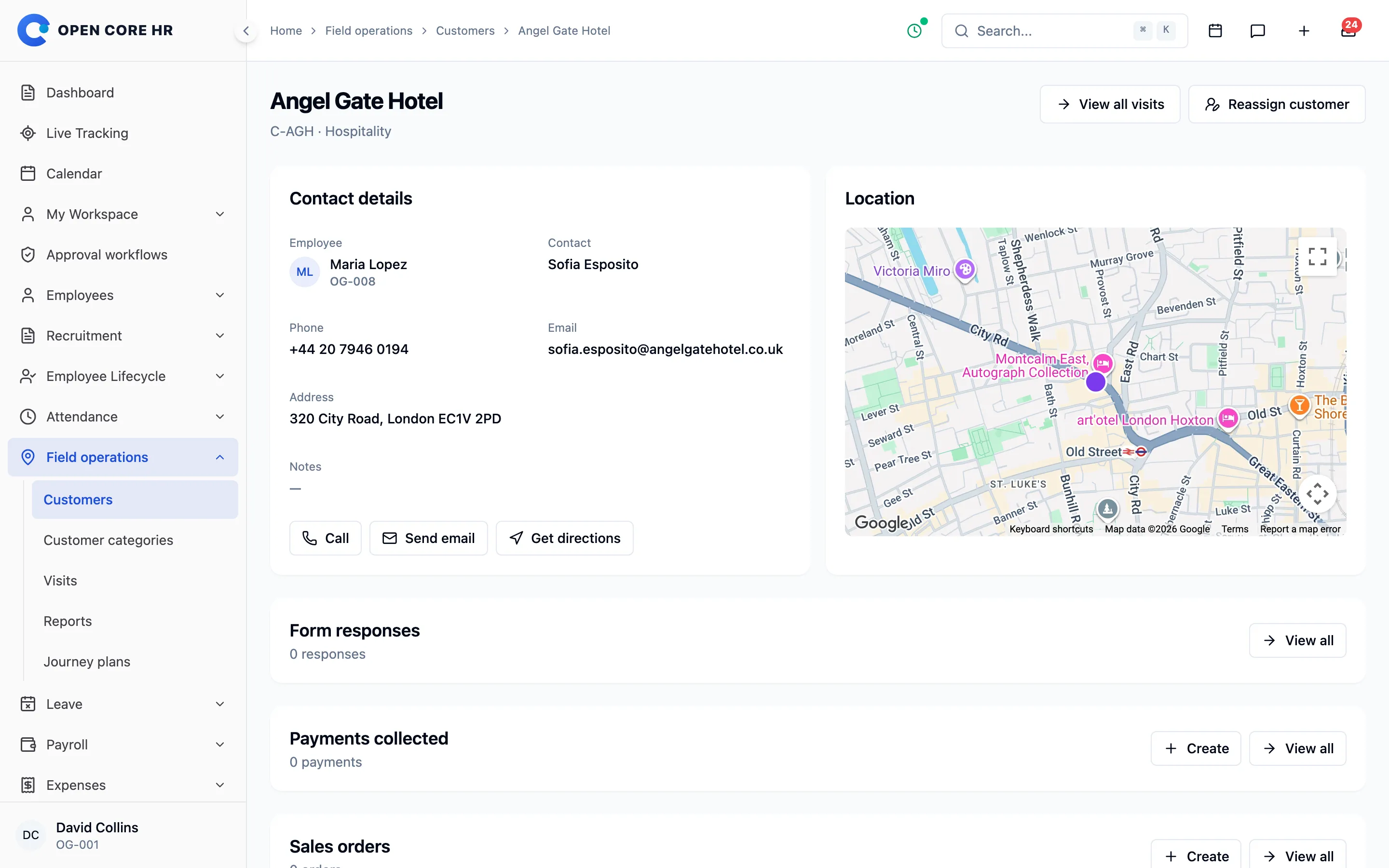
One customer book for the whole field team
Every customer has an owner, a pin on the map and a visit history, so coverage survives holidays, handovers and new joiners.
-
Customer records Contacts, address, category and the responsible rep, with linked visits, tasks, forms, orders and payments.
-
Customer location A map pin for every customer, with call, email and directions in one tap.
-
Categories Group customers by type or segment, filter reports by them and retire categories without losing history.
-
Reassignment and ownership history Move one customer or many without breaking open plans, and see who held each account and when.
-
Bulk import and export Bring in up to 1,000 customers per file with a preview that checks every row first.
-
Place search Find a business on Google Maps to fill the address, or use the phone’s current location.
-
Customer codes Customer codes are numbered automatically with the prefix you choose.
Take the order and payment on one visit
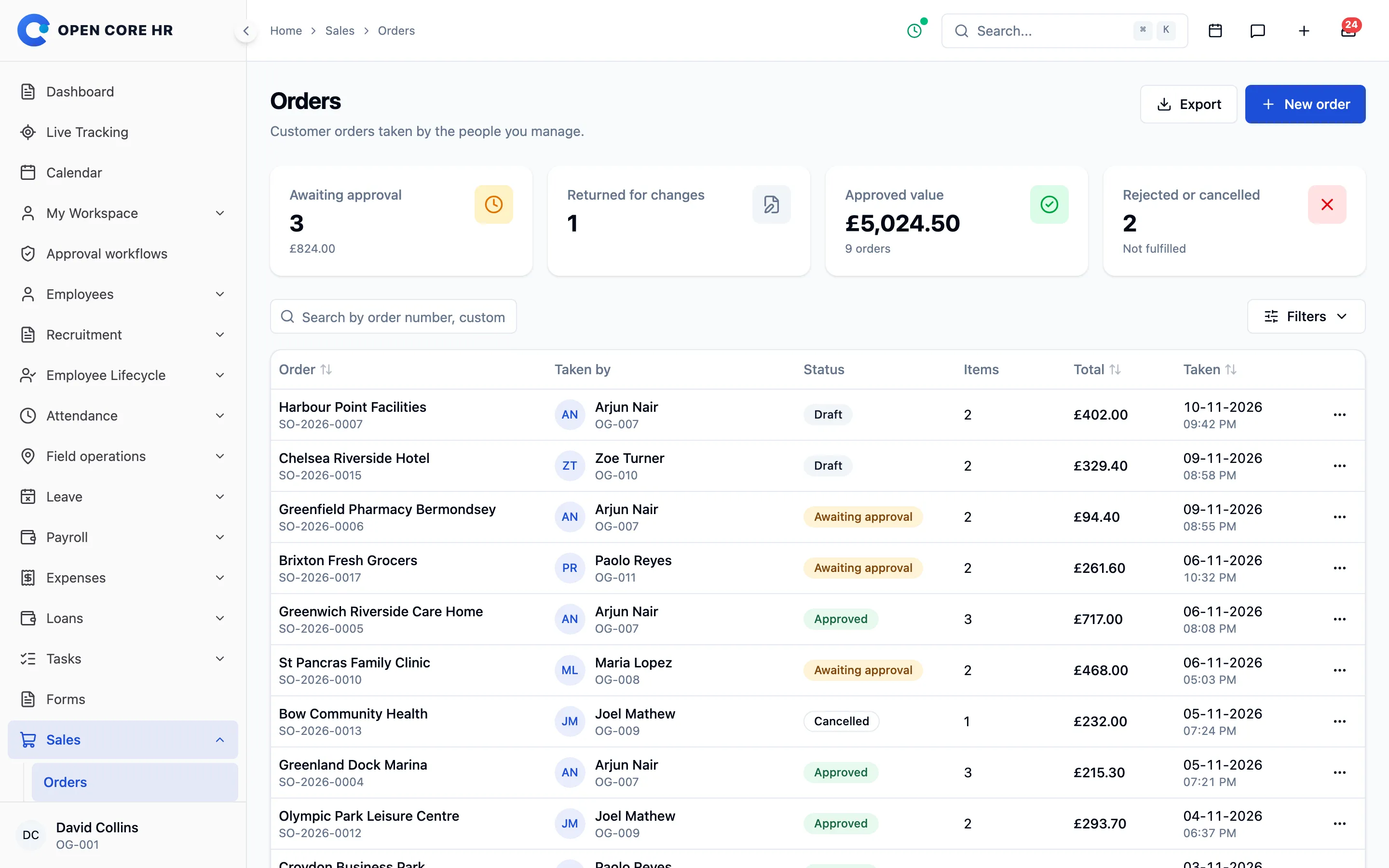
Reps raise orders from your catalogue, record payments with proof and hand cash back to the office, where every amount is counted and confirmed.
-
Sales orders Add-on Take an order on the visit, offline too, with an estimated total, delivery date and notes.
-
Order approval Add-on Orders are approved, returned or rejected with a reason before they are confirmed.
-
Product catalogue Add-on Products with SKUs, categories, units and prices, where price changes apply to new orders only.
-
Payment collections Add-on Record cash, bank, card or wallet payments with a reference and up to 5 proof files, offline too.
-
Cash handover and counting Add-on Reps hand over the cash they hold, and the receiver counts it to confirm.
-
Digital payment checks Add-on Reviewers confirm or flag digital payments, and nobody can confirm their own.
-
Void and correct Add-on A wrong payment is voided with a reason and replaced once.
-
Collection totals Add-on Cash not yet handed over, awaiting checks, needing attention and confirmed, with CSV export.


Jobs with checklists, proof and due dates
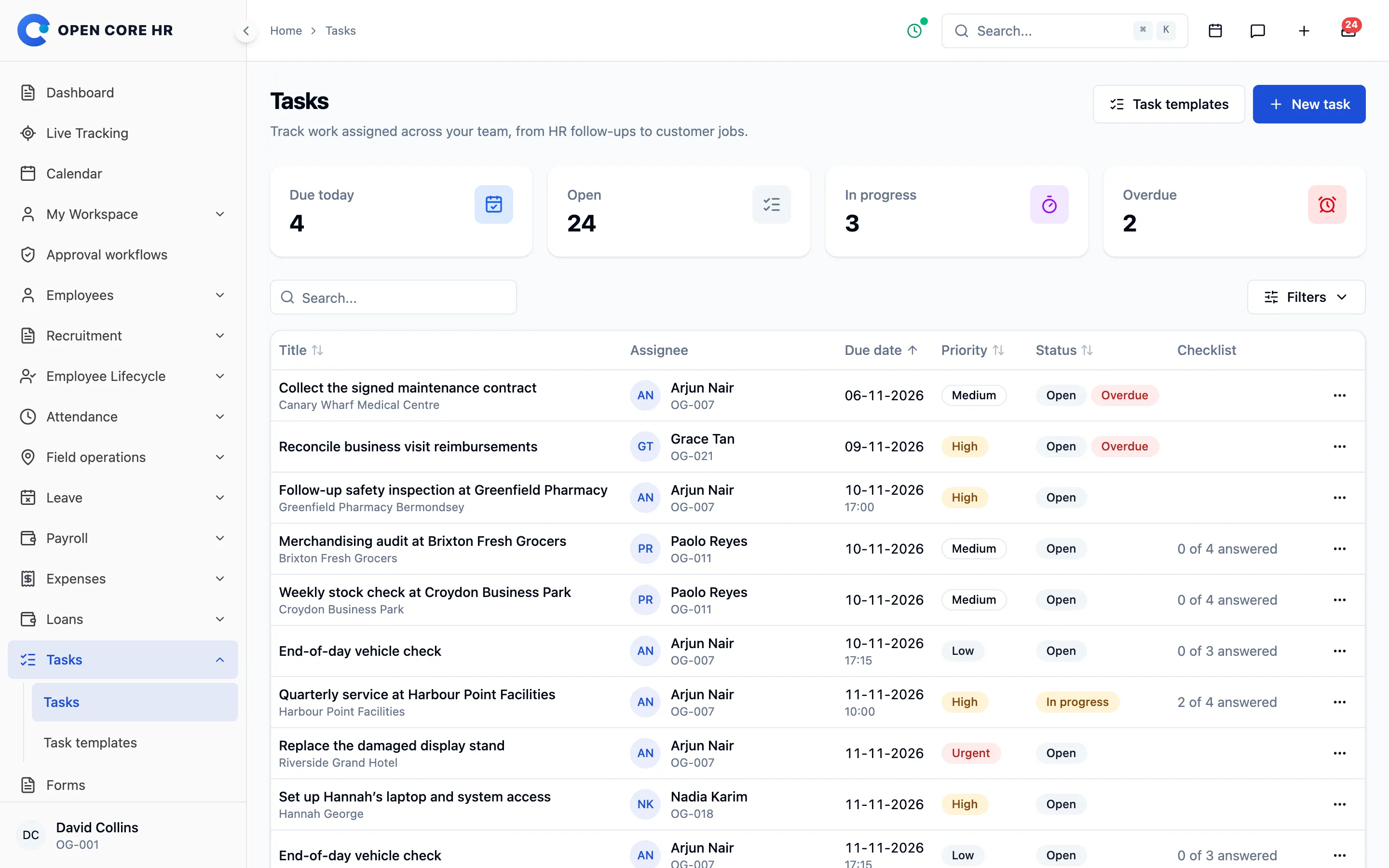
Assign one-off or repeating jobs to the right person, with a job site, a checklist and photo proof that reps complete from their phone.
-
Tasks with job sites Add-on Priority, due date, a linked customer or visit, and a job site with directions and a call button.
-
Checklists and proof Add-on Mark items done, issue or not applicable, require photos and notes, and save answers on the phone offline.
-
Repeating tasks and templates Add-on Repeat a job daily, weekly or monthly for up to a year, or start from a saved template.
-
Hold, cancel and reopen Add-on Every change of state carries a reason and stays in the task’s history.


Audits and surveys, filled in on site
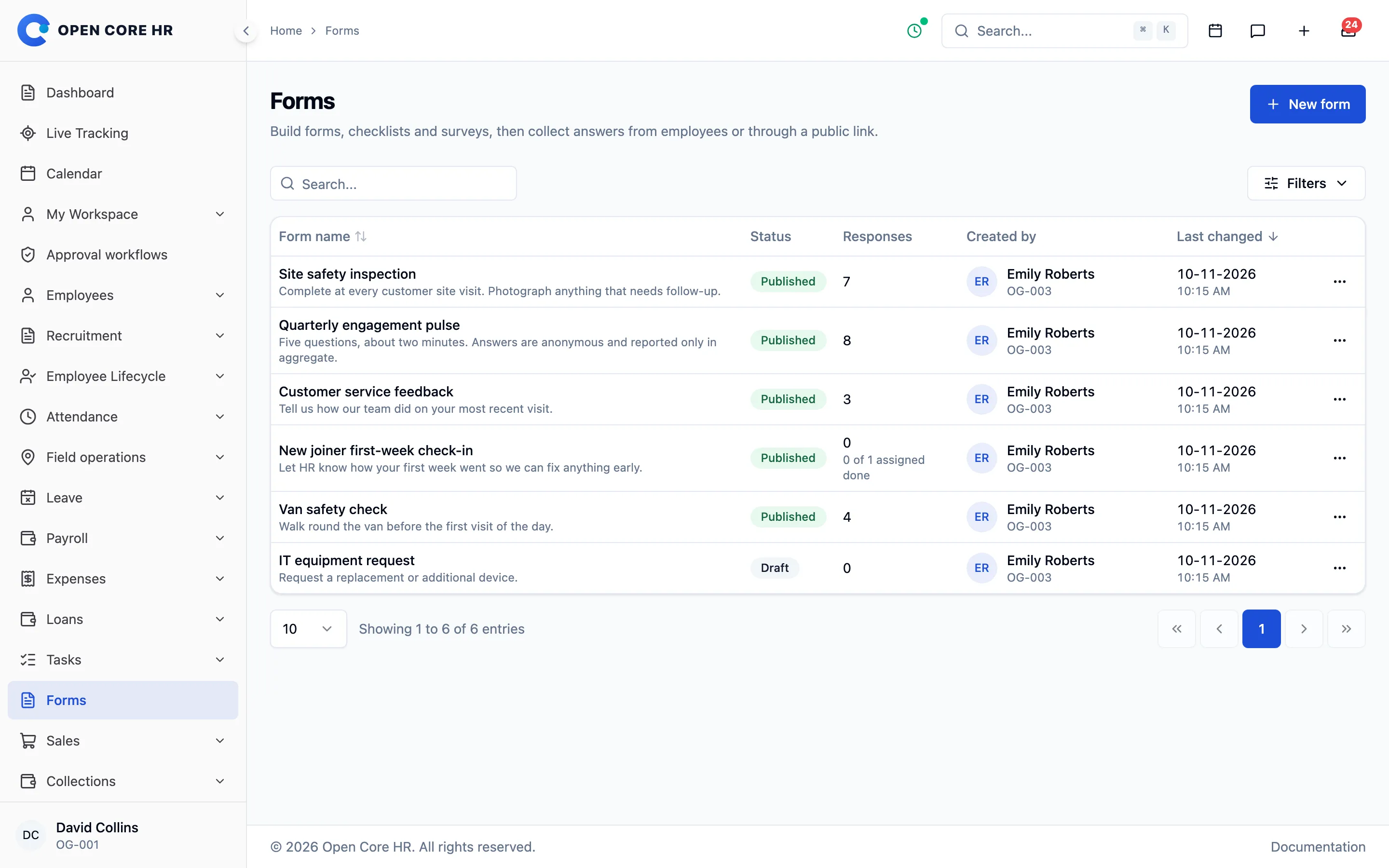
Build checklists, store audits and customer surveys, send them to staff or share a public link, and read the results as summaries.
-
Form builder Add-on Drag and drop 18 question types, including photo, signature, rating and yes or no, with a phone preview.
-
Assign with due dates Add-on Send forms to the right people, who get a reminder the day before they are due.
-
Public form links Add-on Collect anonymous or named responses from a link with an expiry date and a response limit.
-
Response summaries Add-on Counts, percentages and averages, every individual response and an Excel or CSV export.
-
Fill in offline Add-on Complete forms without a signal and link a response to a customer, visit or task.


Review the day without chasing anyone
Managers see completed, missed and late visits, customer coverage, targets and the approvals waiting for them, on the web and in the app.
-
Field reports Visit completion and customer coverage by rep, team or category, with a CSV export.
-
Daily breakdown For each rep and day: visits, distance travelled, stops and gaps in tracking.
-
Missed and stale visits Visits that were missed or left open too long stay visible until someone follows up.
-
Manager’s Today view Scheduled, completed and on-duty work for the team, plus visits that need attention.
-
Targets Add-on Monthly or quarterly targets for visits, customers, orders and collections, with progress counted for you.
-
Target history and drill-down Add-on Mid-period changes need a reason, and achievement opens down to the records behind it.
-
Approvals on the go Plans, orders, expenses and leave approved from one inbox on the web or phone.
-
Attendance in the same app Reps check into their shift, then start visits, with the same records HR uses for payroll.
Happening now
- Zoe Turner checked in at Chelsea Riverside HotelInside boundary · 14 m
- Order SO-1043 waiting for your approvalPaolo Reyes · £2,315.50
- Collection received at the officeHandover from Arjun Nair · £1,120
- Visit open for over 2 hoursBrixton Fresh Grocers · Paolo Reyes
- Journey plan submittedKings Cross fortnightly round · Maria Lopez
- Store audit completedCamden Market Foods · 18 of 18 checks
- Visit completed with photosHarbour Point Facilities · 3 photos
Explore every part of Open Core HR
CZ App Studio
Give your people a better place to work.
Tell us how your company works. We’ll help you find the right Core, add-ons and installation approach.