
Leave requests with the rules already applied.
Employees see their balance before they apply, and the request counts working days, skips holidays and shows any loss of pay. Managers approve in one inbox and check the team calendar for clashes.


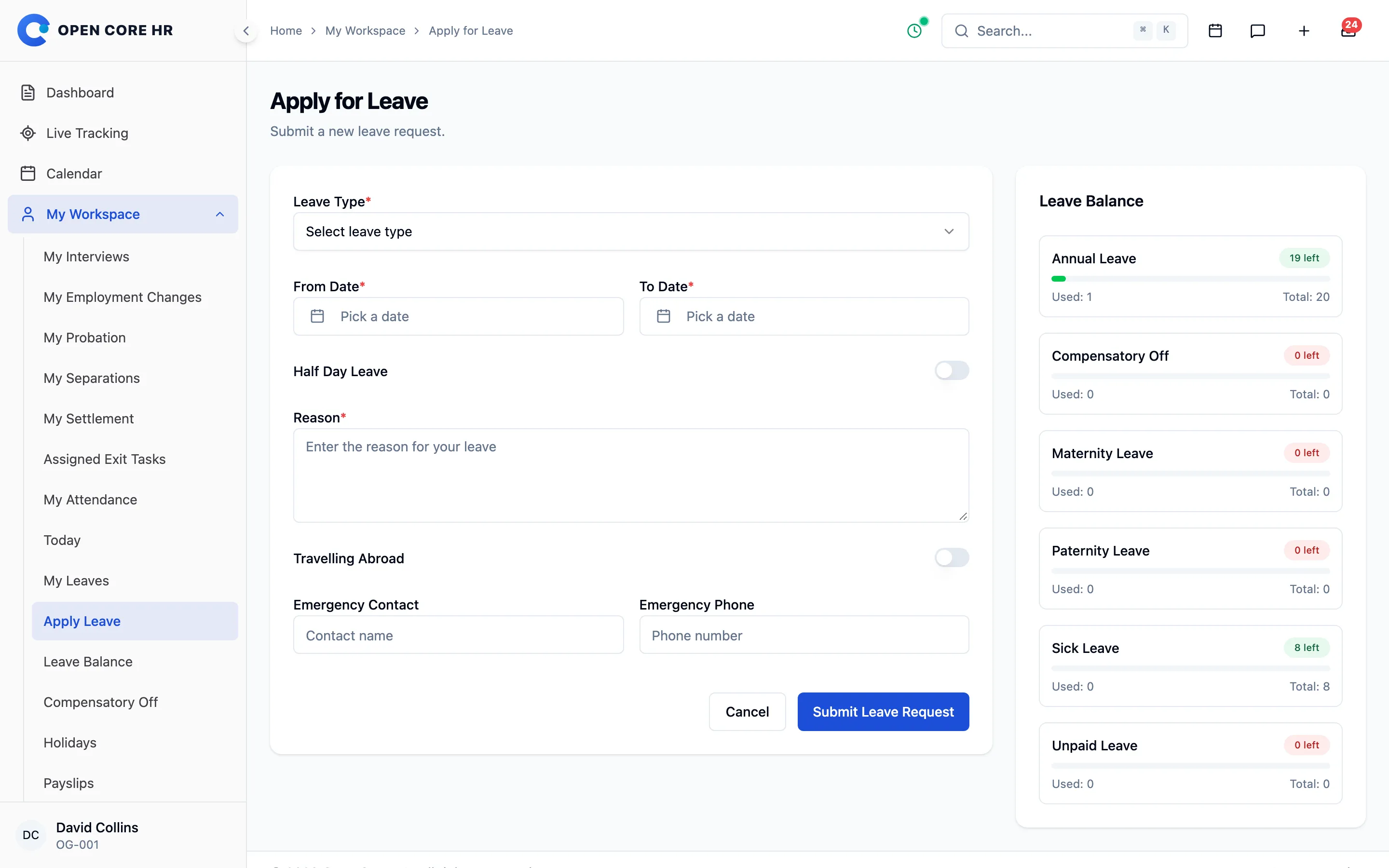
Know the cost of leave before you ask
The request counts working days, skips weekends and holidays, and shows how much will be paid and how much is loss of pay.
-
Paid and loss-of-pay breakdown Working days are counted for you, and any days beyond the balance are shown as loss of pay.
-
Half-day leave Take the first or second half of a single day.
-
Proof and travel details Attach a PDF or photo when the type needs proof, and note travel abroad and an emergency contact.
-
My requests Track each decision and cancel a request on the web or in the app.
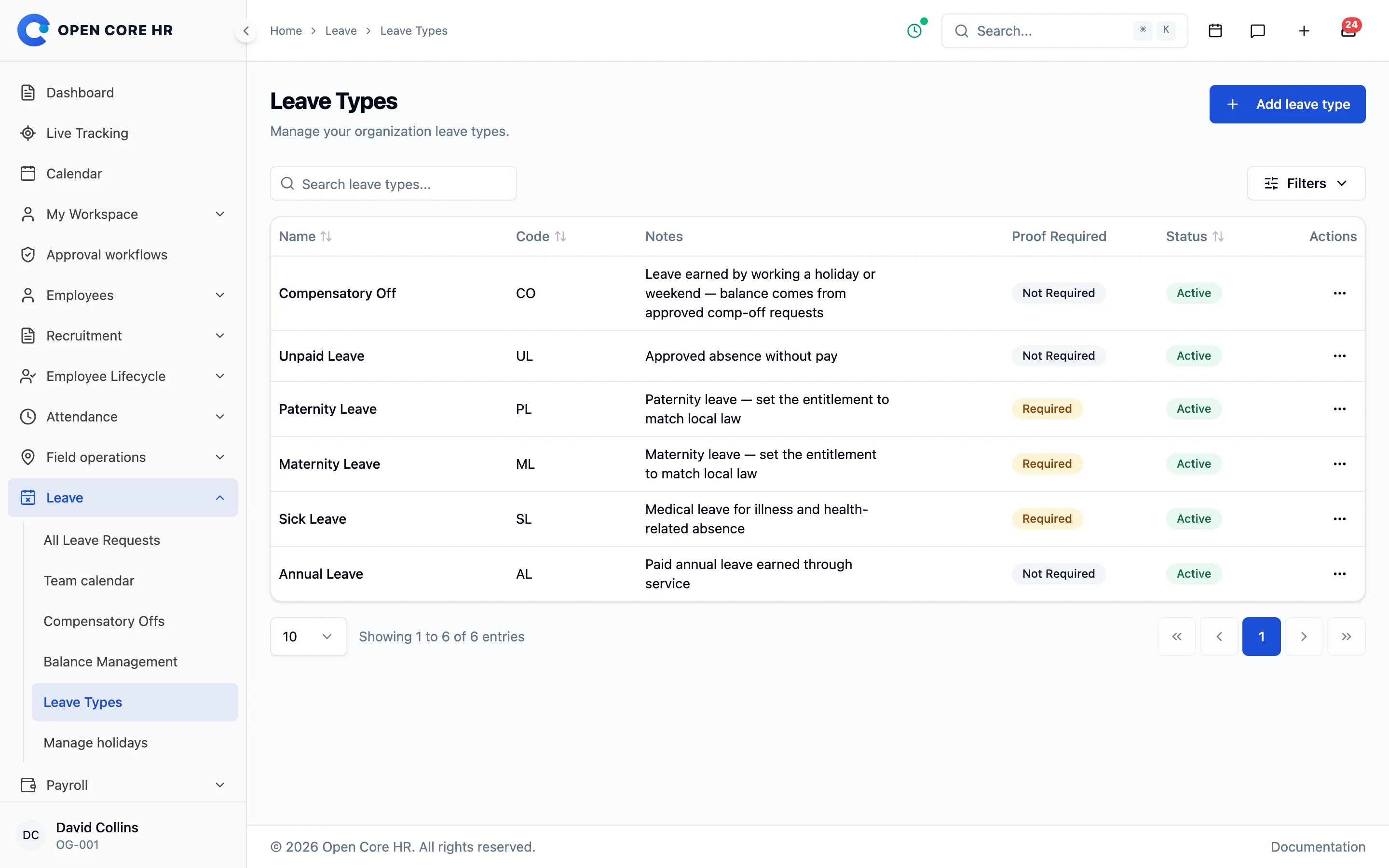
Each leave type follows its own rules
Set proof, limits, notice and deduction rules per type, so requests that break them are stopped before they reach a manager.
-
Proof and deduction rules Choose per type whether proof is required and whether days come off the balance.
-
Limits and advance notice Monthly and yearly limits, and a minimum number of days’ notice before leave starts.
-
Fallback to another type Deduct from another leave type when one runs out, and retire types without losing history.
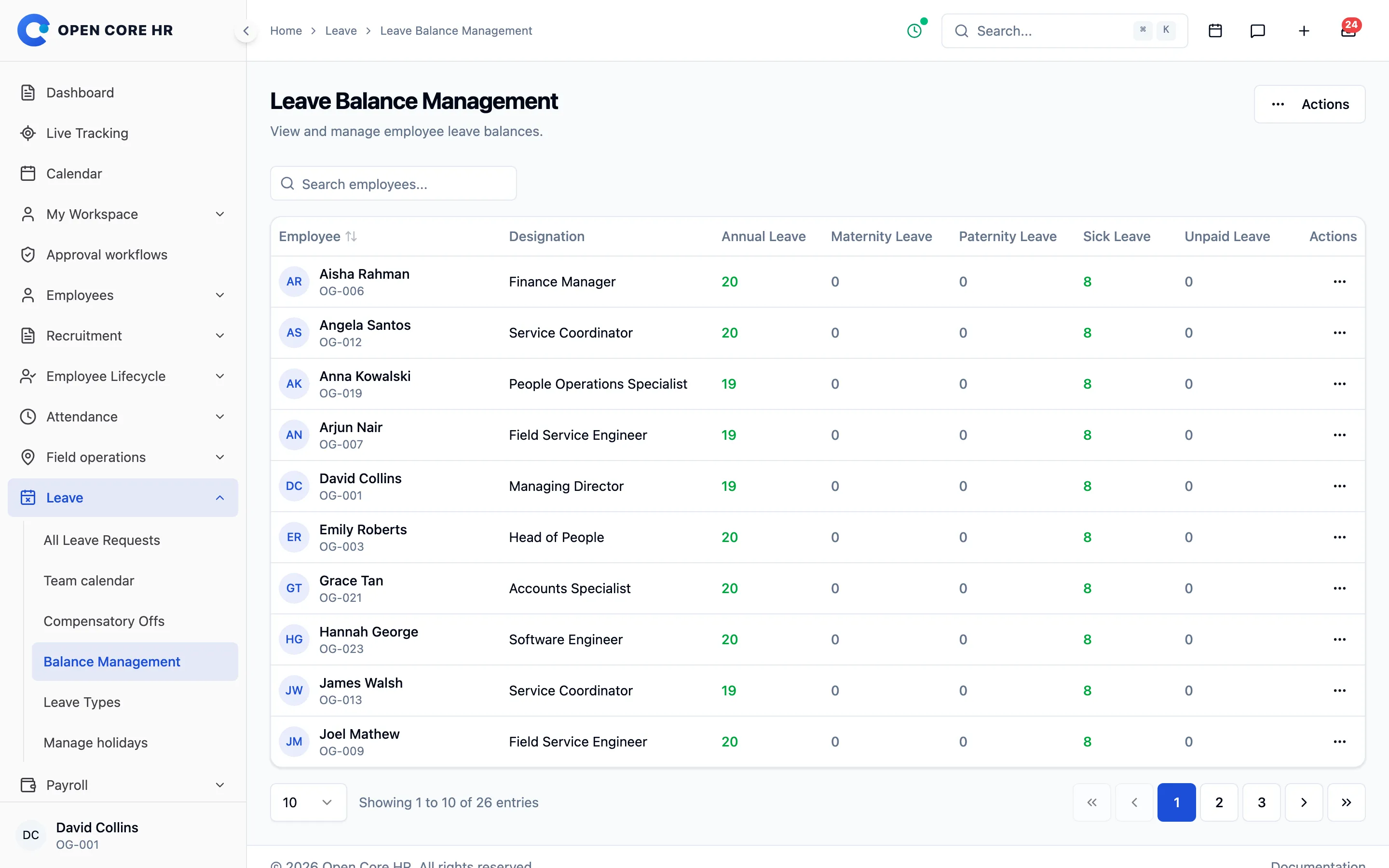
Balances everyone can trust
Entitlement, carry-forward, adjustments and usage are shown per type, and every change made by HR is recorded with a reason.
-
Balance by leave type Entitlement, carry-forward, adjustments, usage, days available and loss-of-pay days.
-
Balance setup and adjustments Set opening balances for groups in one step, and make adjustments with a documented reason.
-
Bulk balance import Add-on Load a year’s entitlements from a spreadsheet, or export balances.
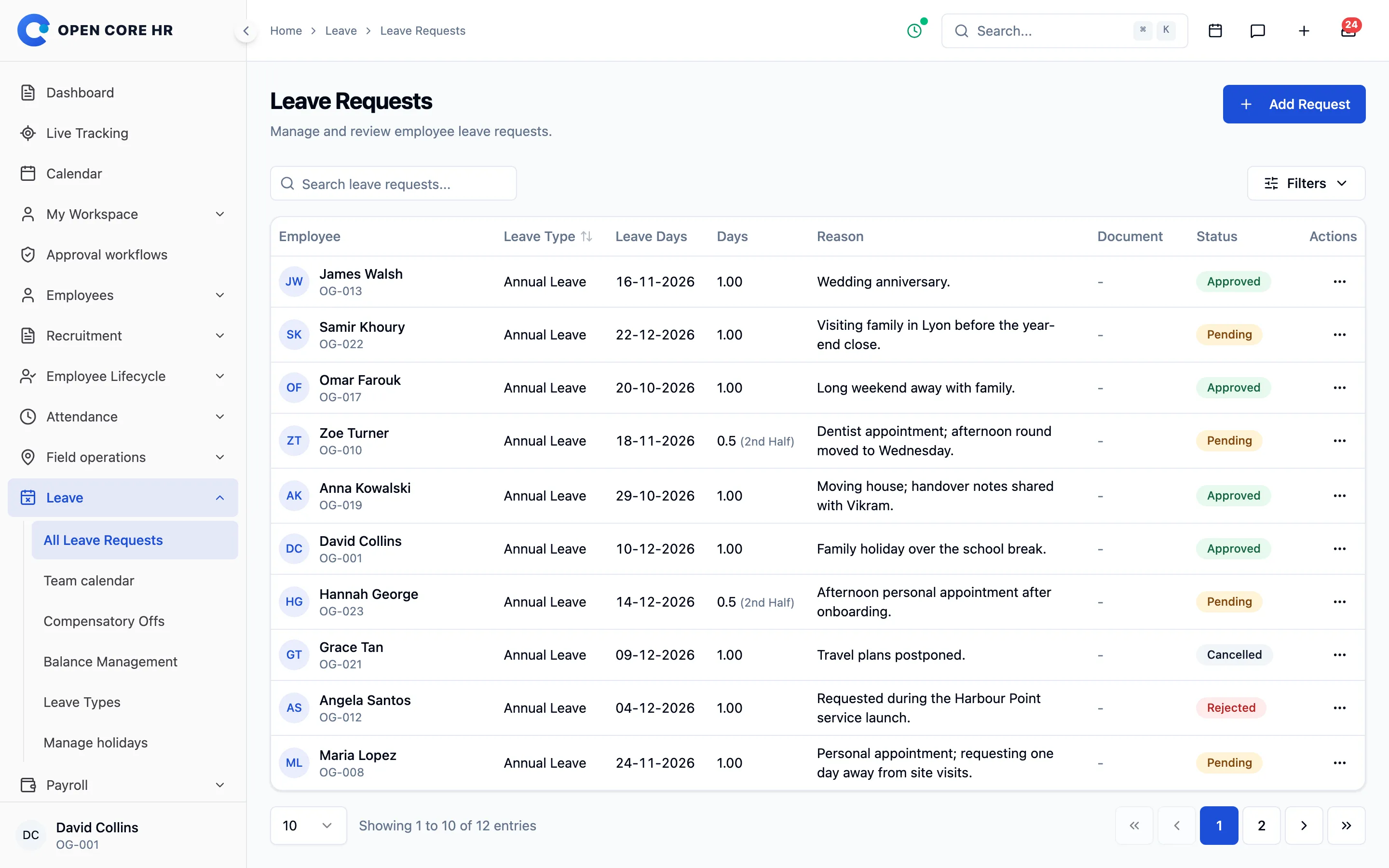
See who is away before you approve
HR sees every request across the company, and managers check the month calendar for clashes before saying yes.
-
All leave requests HR searches and filters every request, and can cancel approved leave.
-
Leave on someone’s behalf HR records leave for an employee who cannot apply themselves.
-
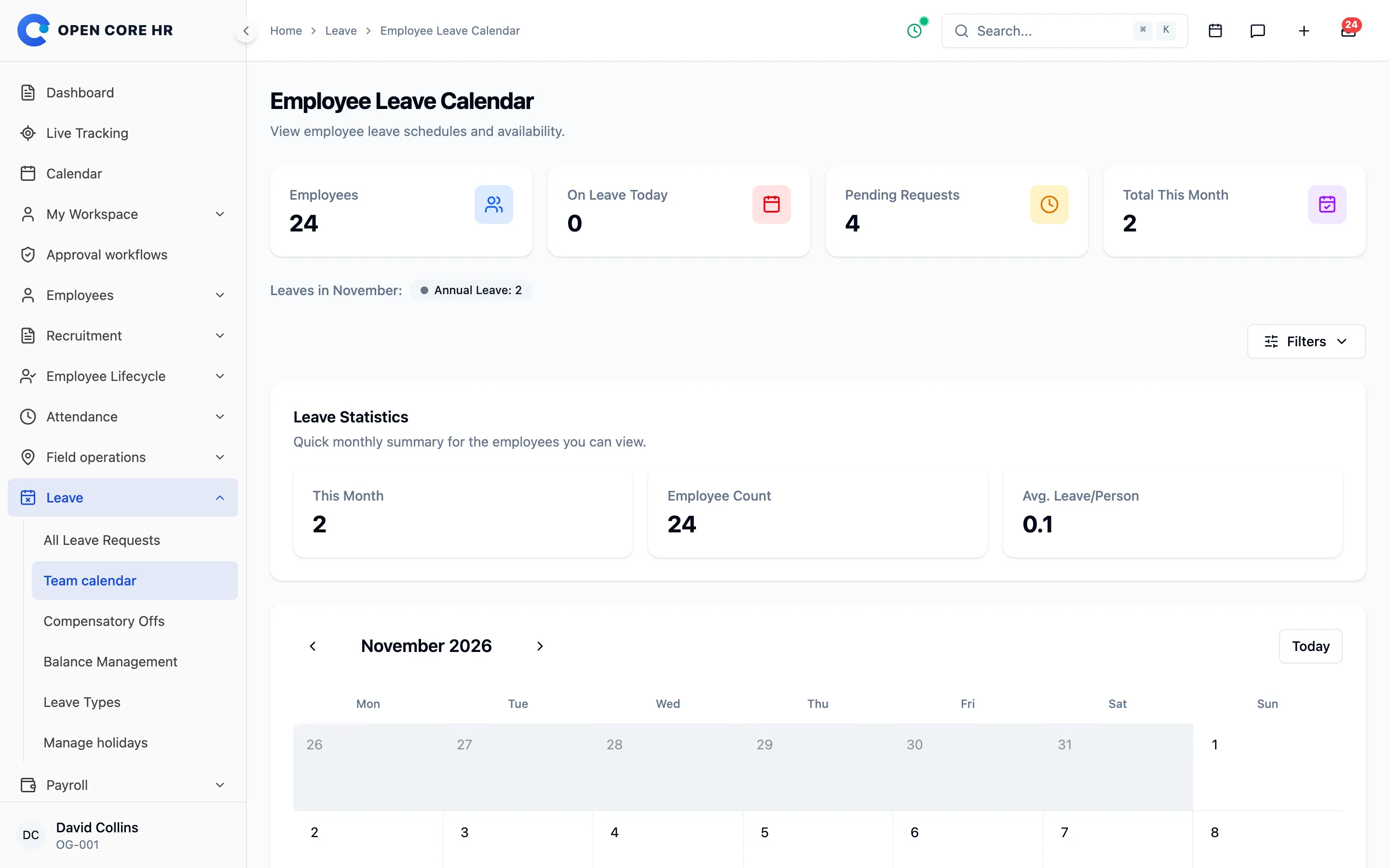
Team leave calendar A month grid of who is away, with half days marked, to spot clashes early.
-
Leave report Add-on Requests that overlap a period, as Excel or CSV.
Time off earned for extra work
Employees request compensatory offs for extra hours, and leave and comp-offs follow the approval steps you configure.
-
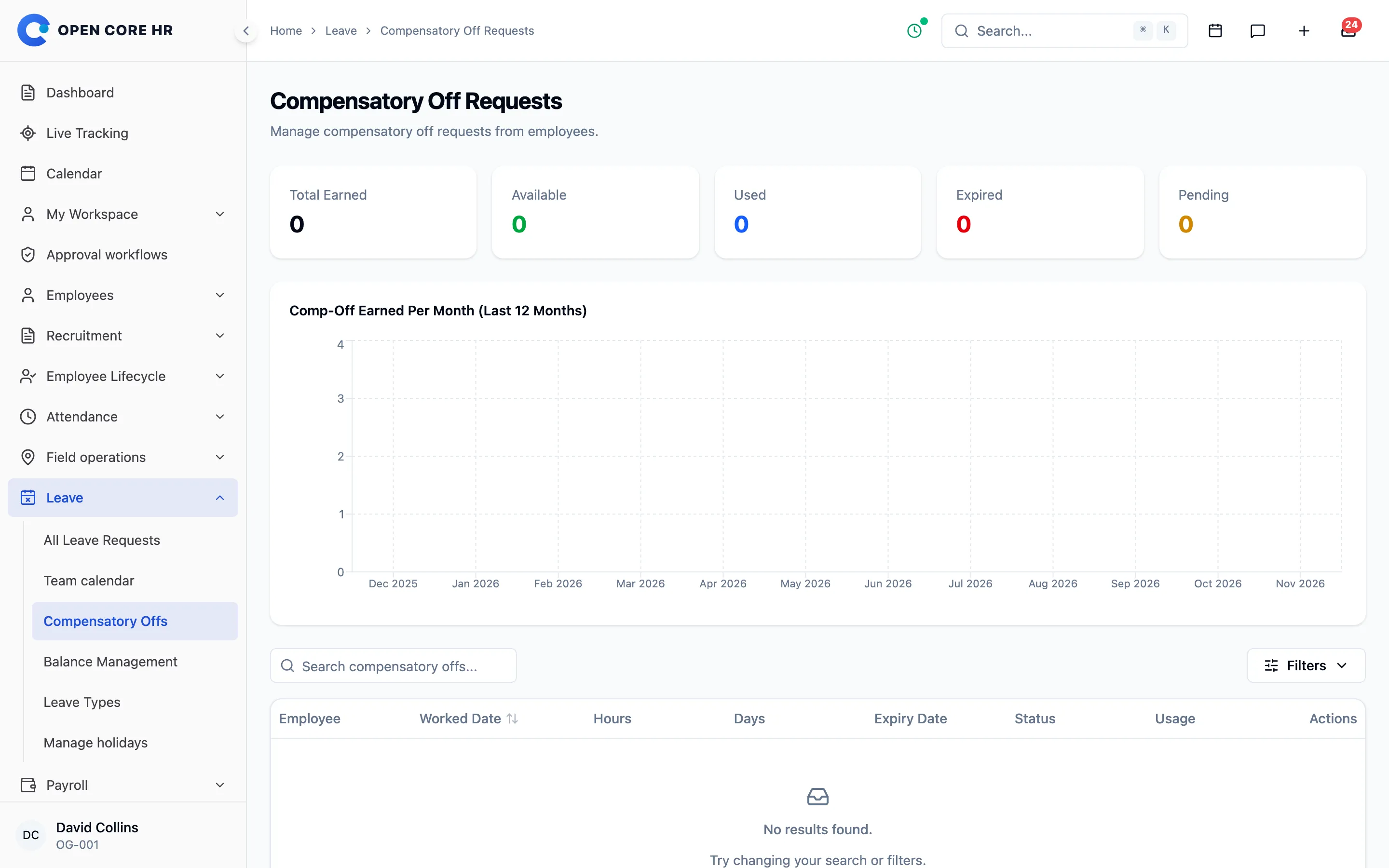
Compensatory offs Earn comp-offs for extra hours, four hours making half a day, with expiry and usage shown.
-
Approval levels Leave and comp-off requests go through the approval levels you set, on the web or the phone.


Explore every part of Open Core HR
CZ App Studio
Give your people a better place to work.
Tell us how your company works. We’ll help you find the right Core, add-ons and installation approach.