
One complete record for every person you employ.
Keep identity, work details, pay, bank accounts, documents and history in one permission-aware profile. Model departments, locations and reporting lines, and let employees keep their own details up to date on the web and in the app.
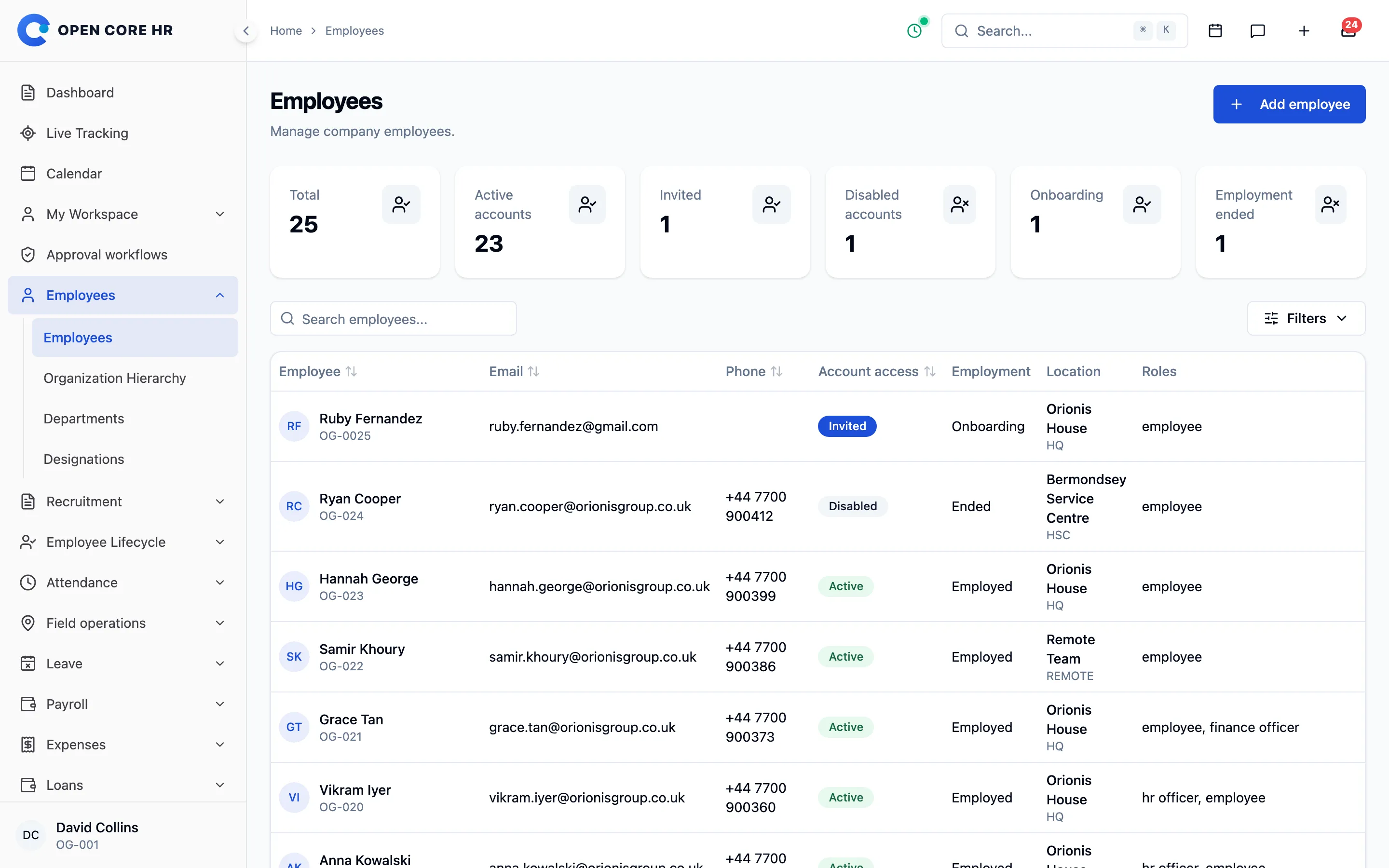


Add people once, and control their access
Invite new hires to set their own password, keep sign-in access separate from employment status, and disable or restore accounts without losing history.
-
Employee directory Find anyone by name or code, and filter by department, location, status and more.
-
Invitations for new hires New employees set their own password from an expiring invite link, which HR can resend from the profile.
-
Access separate from employment Invited, active or disabled sign-in is tracked apart from onboarding, employed or ended employment.
-
Safe disable with hand-off Disabling someone warns you about their direct reports, customers and open field work, and moves customers in the same step.
-
Restore deleted employees Deleted records can be recovered, and permanent deletion is a separate, deliberate step.
-
Account deletion requests Employees ask for account deletion in the app, and HR reviews or dismisses the request.
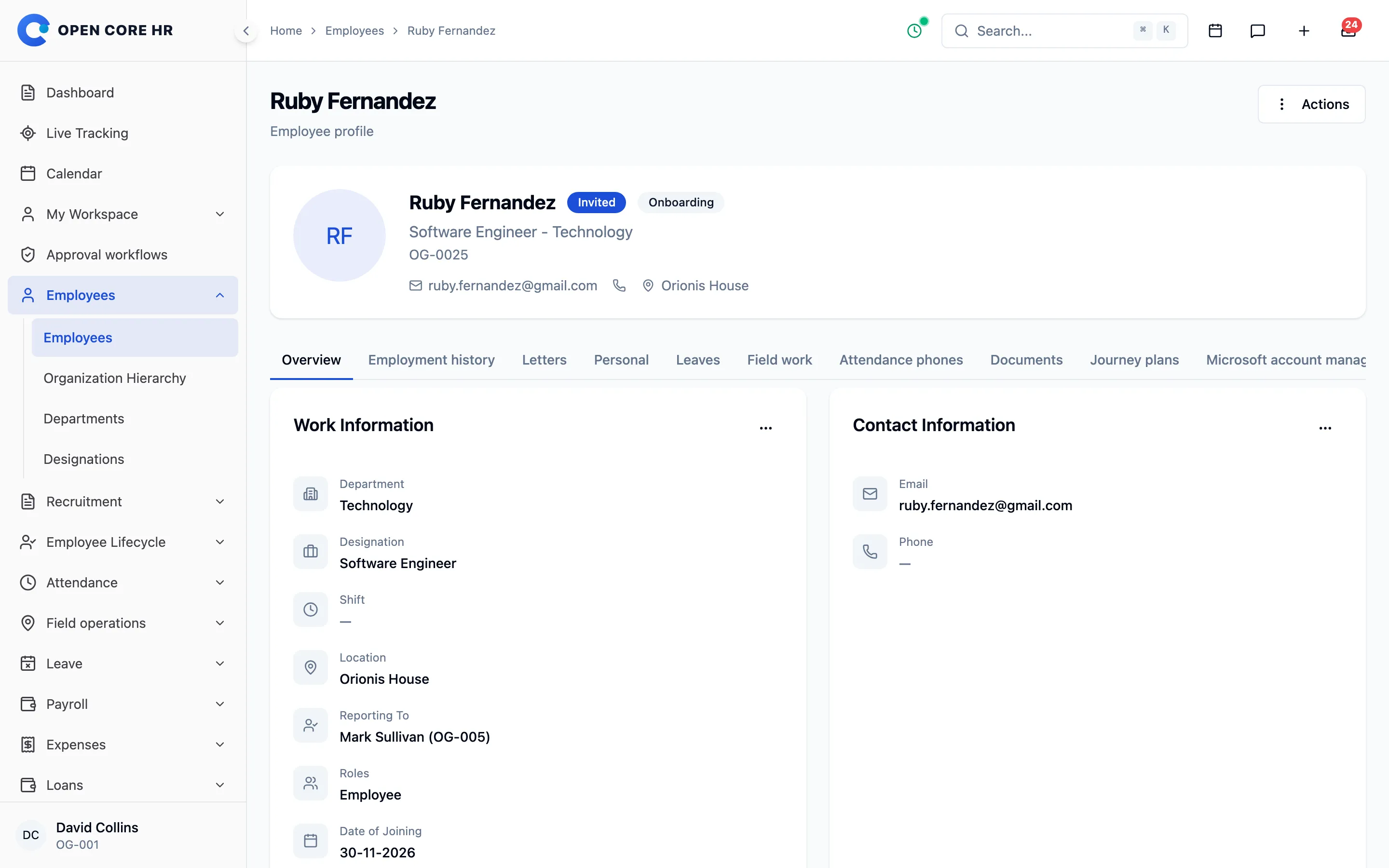
Everything about one employee, in tabs
Work details, private data, pay, bank accounts, documents and leave balances each have their own tab, visible only to people with the right access.
-
Profile tabs Identity, work, private data, emergency contact, compensation, bank accounts, documents, leave and attendance phones.
-
Dated compensation Agreed pay is recorded with its effective date and currency, visible only to people with compensation access.
-
Several work locations Assign every site an employee works from, for holidays, announcements and attendance rules.
-
Employee timeline A dated history of joining, probation, changes, warnings and exit, with a link to each record.
-
Change history per employee See who changed which field on a profile, and when.
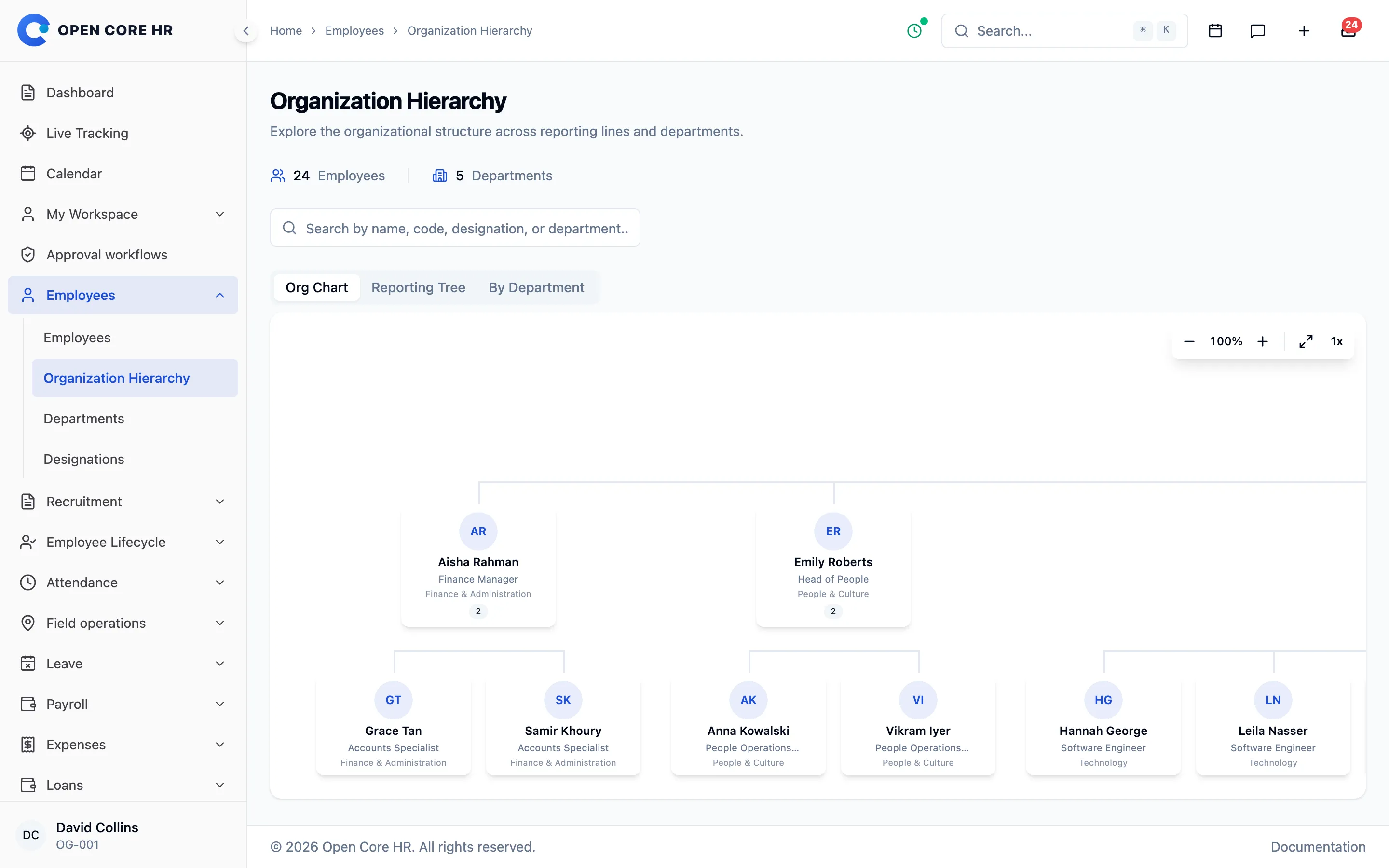
Departments, locations and who reports to whom
Model your structure once. Locations decide which holidays apply, and reporting lines decide who approves what.
-
Departments and designations Teams and job titles with codes generated for you.
-
Locations Offices and sites that decide holidays, announcements and who receives them.
-
Org chart and reporting tree Org chart, reporting tree and department views built from reporting lines, with search.
-
Holidays per location Public and company holidays for one location or all of them, used by attendance and leave.
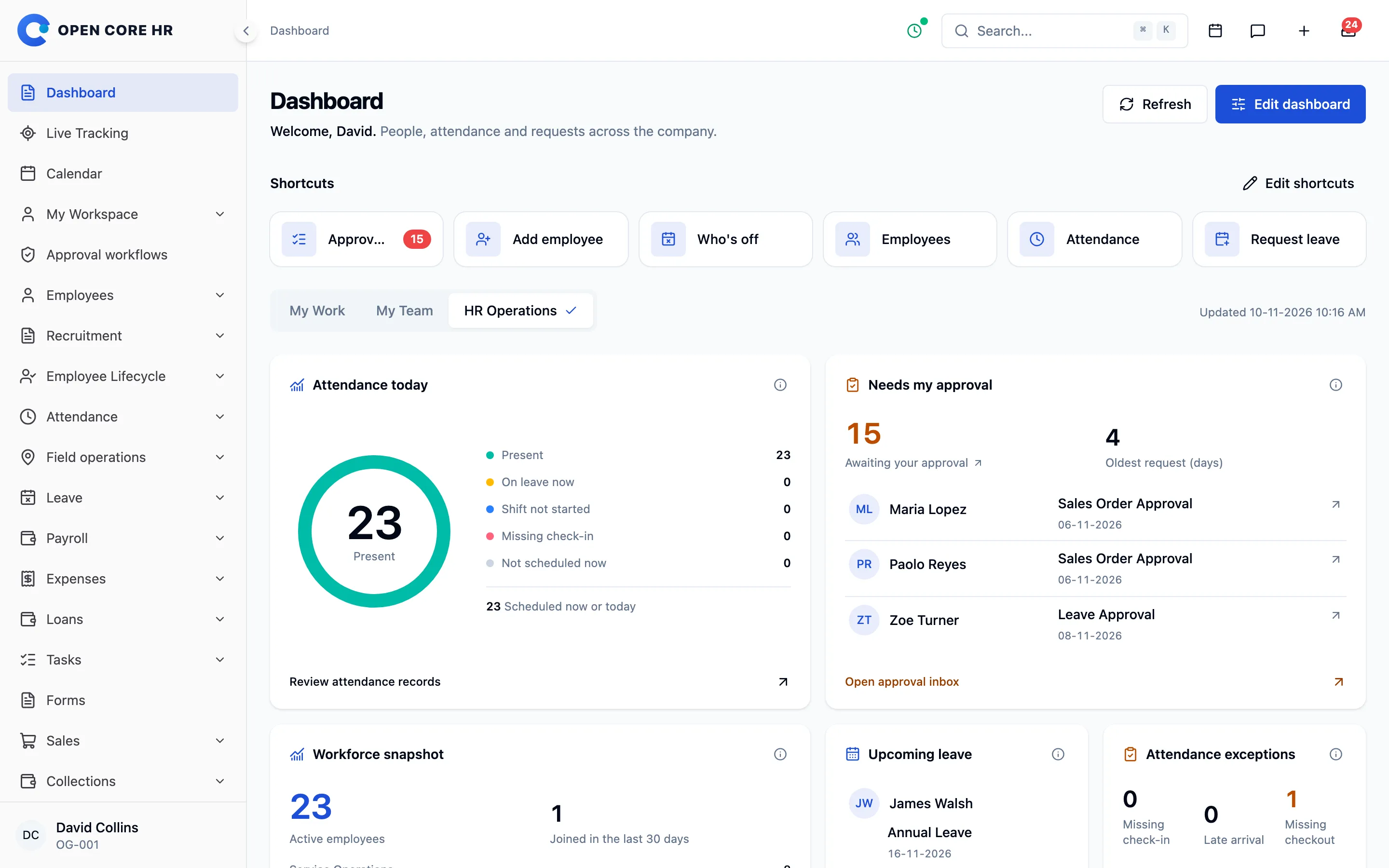
A dashboard for each role you hold
Employees see their own work, managers see their team and HR sees what needs attention today, with each person choosing the widgets they want.
-
My work, my team, HR operations People with several roles switch dashboard views without signing out.
-
Personal dashboard layout Show, hide and reorder widgets and pick a default view, and the layout follows you to any browser.
-
Live HR widgets Approvals waiting, missing check-ins, late arrivals, incomplete records and the expense backlog.
-
Ask your HR data Add-on Ask "Who is on leave next week in Sales?" or "Which department had the most late arrivals last month?" and get the answer in seconds.
Employees keep their own details current
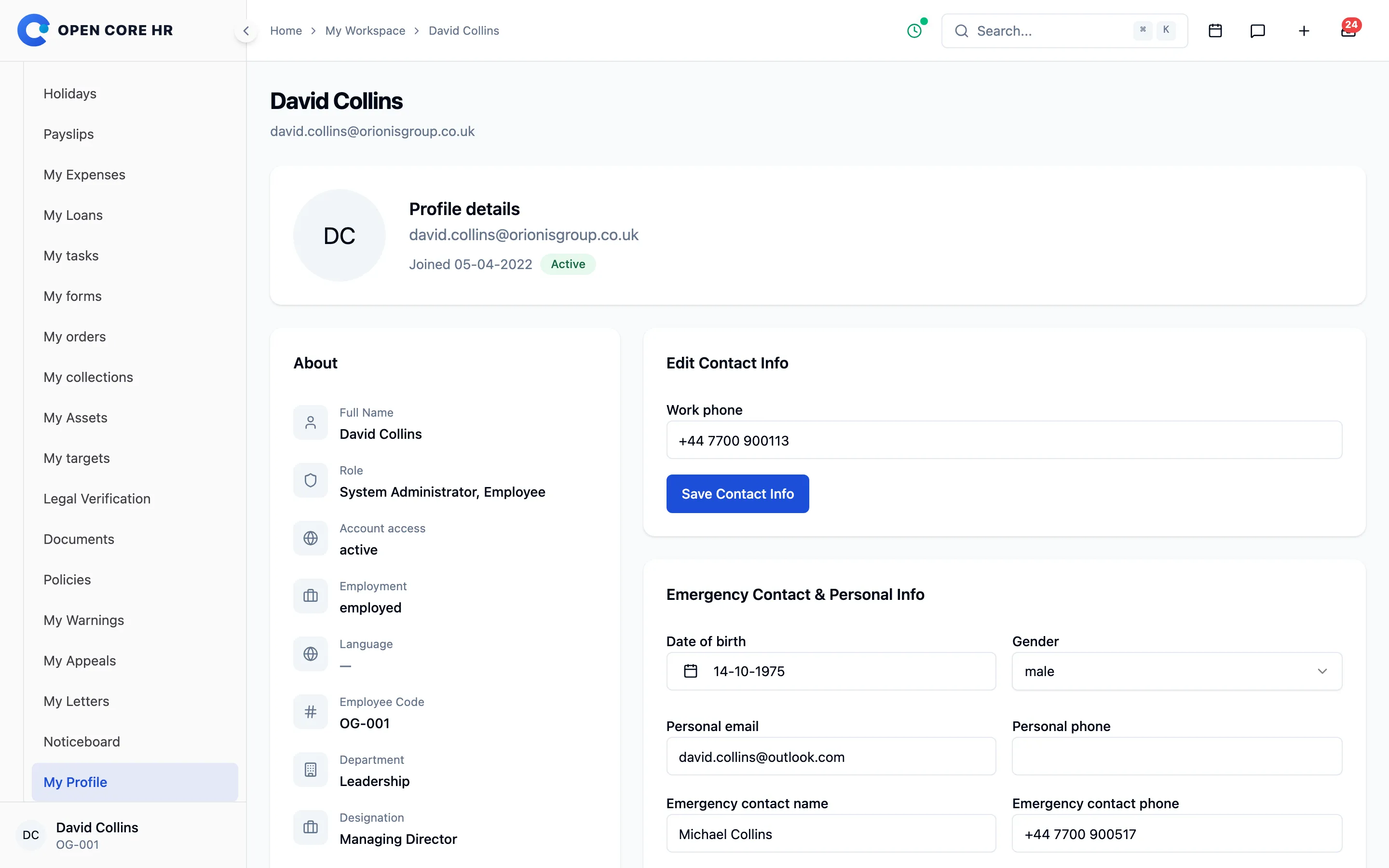
Contact details, bank accounts, passwords, holidays and employment letters are available to each employee on the web and in the app.
-
My profile Employees update their contact details, private details and photo where you allow it.
-
My bank details Employees maintain the bank accounts their pay goes to.
-
Password change and recovery Change a password or recover it by email, and return straight to the app.
-
Passkey sign-in on the web Sign in with a fingerprint, face or screen lock instead of a password. People add and remove passkeys from their profile.
-
My holidays Each employee sees the holidays that apply to their location.
-
Employment letters Offer, appointment, confirmation, increment, warning and relieving letters, downloaded from the profile or the app.
Goals and reviews that finish on time
Agree weighted goals, run self and manager reviews on a schedule, sign off final ratings and share each review with the employee, without spreadsheets or email chasing.
-
Weighted goals with progress Add-on Up to 15 goals per review, measured as a number, a percentage or done / not done, with progress updates and comments through the period.
-
Your own review forms Add-on A rating scale of 3 to 7 named levels, rated and written questions, and the split between goals and questions. A standard annual form is included.
-
Review cycles on a schedule Add-on Choose people by department, designation, location or joining date, set four deadlines and let automatic reminders chase whoever is late.
-
Self and manager reviews Add-on Employees assess themselves first, and managers rate goals and questions, write a summary, keep private notes and record a recommendation.
-
HR sign-off and sharing Add-on HR keeps the calculated rating or sets another with a reason, then shares reviews one by one or in bulk for employees to read and acknowledge.
-
Progress, exports and mobile Add-on See who each review is waiting for, export results as CSV, print a review as a PDF, and let employees and managers do their part in the app.
Happening now
- Zoe Turner proposed 4 goalsAnnual review 2026 · waiting for your approval
- Progress recorded: 18 of 24 store visitsPaolo Reyes · Grow key accounts
- Self-assessment submittedMaria Lopez · manager review can start
- Manager review due in 3 daysReminder sent to Arjun Nair · 2 reviews left
- Final rating signed offEmily Roberts · Exceeds expectations
- Anna Kowalski acknowledged her reviewShared yesterday · comment added
Find any page, person or file quickly
Global search jumps to whatever you are allowed to see, and the media library keeps reusable files in folders.
-
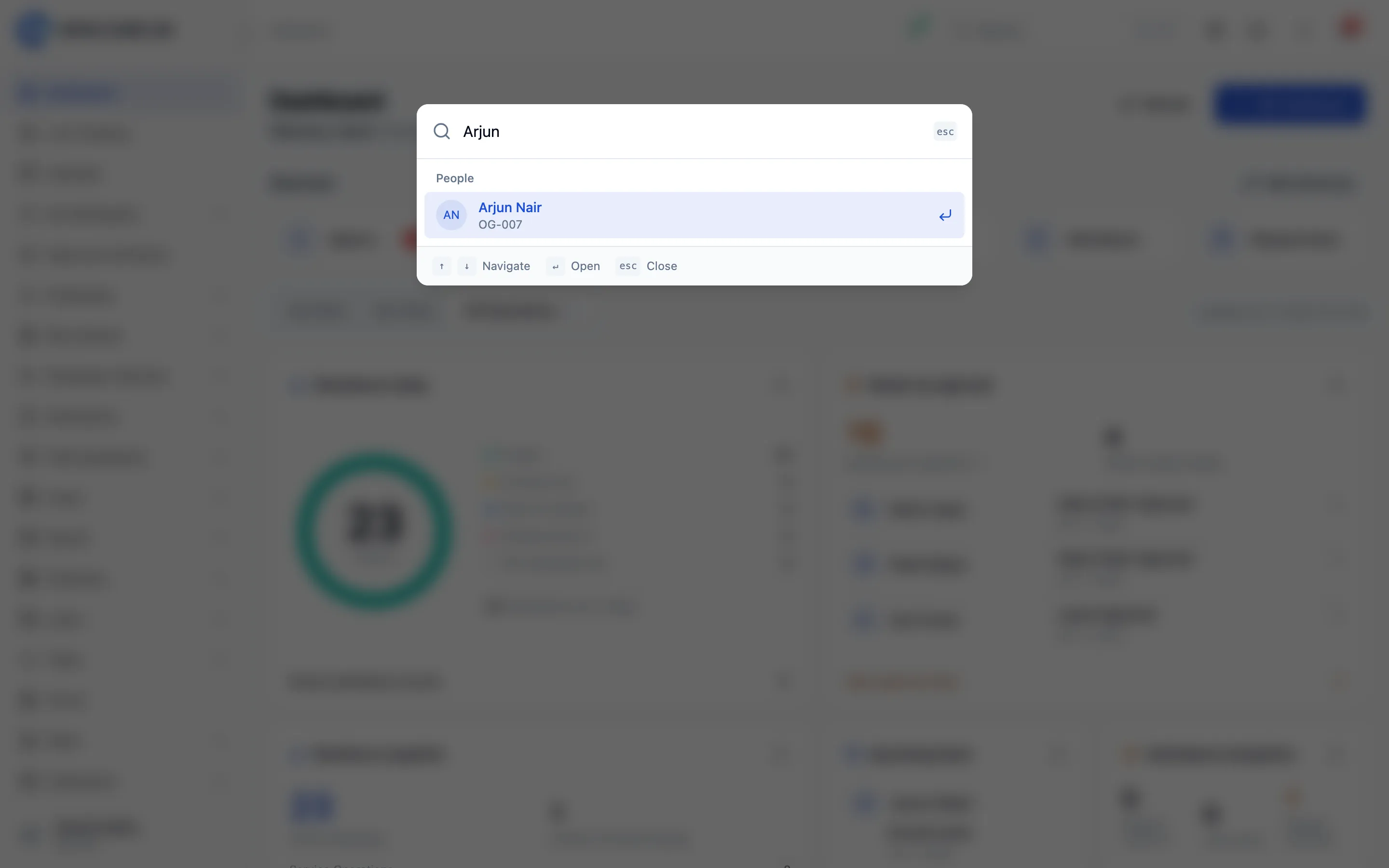
Global search Press Ctrl or Cmd and K to jump to any page, person or customer you are allowed to see.
-
Media library Reusable files in folders, private by default and shareable with the workspace.
Explore every part of Open Core HR
CZ App Studio
Give your people a better place to work.
Tell us how your company works. We’ll help you find the right Core, add-ons and installation approach.