
Pay people correctly, and show how every amount was reached.
Employees claim expenses with receipts and apply for loans from their phone. Payroll takes salary, attendance, leave, reimbursements and loan deductions into a reviewed pay run, explains each line and releases payslips.
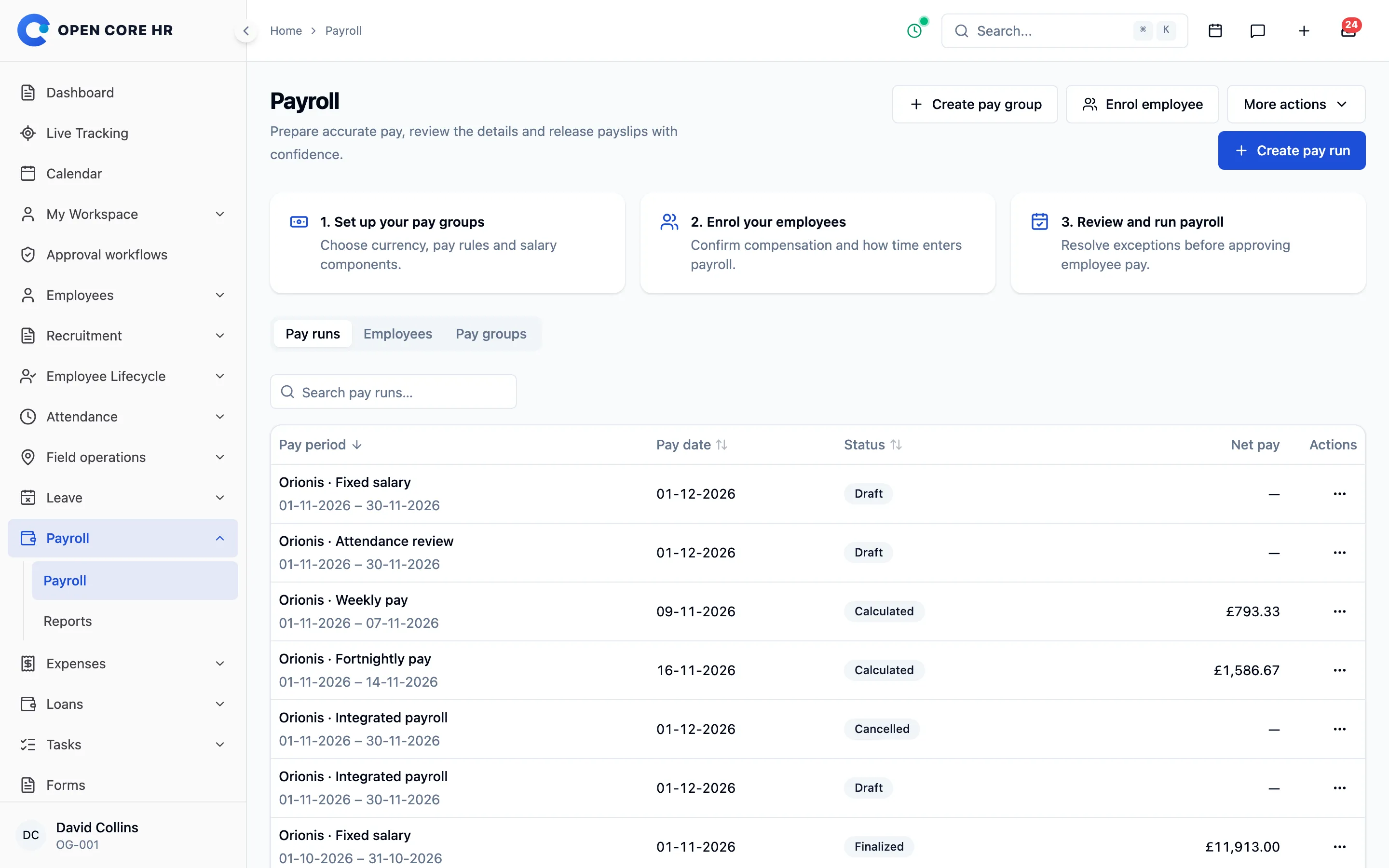


Claims with every receipt attached
Employees add dated items with their own category and receipts, save drafts and fix returned claims without starting again.
-
Itemised claims Several dated items per claim, each with its own category and up to 5 receipts.
-
Travel, meals and lodging Claim travel costs in the same flow as any other expense.
-
Drafts and corrections Save drafts, and fix and resubmit a claim the approver returned, with each review round kept.
-
Copy a rejected claim Turn a rejected claim into a new draft instead of typing it again.
-
No duplicate claims Submitting twice on a poor connection never creates a second claim.
-
Fill from receipt Add-on Photograph a receipt and the date, amount, currency, merchant and expense type are filled in for the employee to confirm.
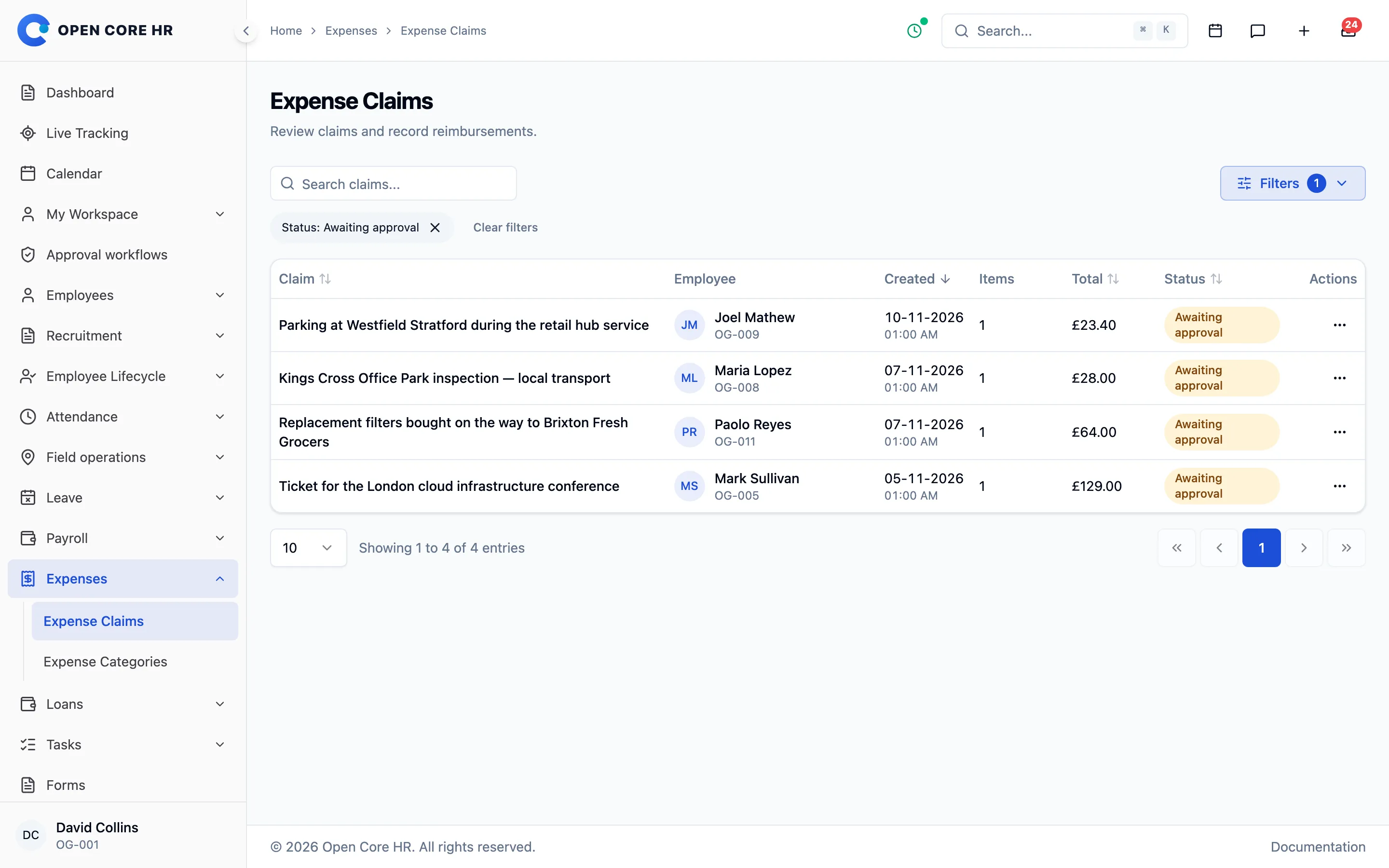


Approve, return or reject with a reason
Approvers review each claim against your category limits, then finance records the reimbursement.
-
Review and reimbursement Approve, return or reject, then record the reimbursement or reverse it.
-
Receipt checks for approvers Add-on Approvers see a notice when the claimed amount or date differs from the receipt, or the receipt could not be read.
-
Expense categories Categories with codes, a per-item maximum and a receipt-required setting.
-
Maximum expense age Items older than the number of days you set are refused at submission.
-
Expense report Add-on Expenses dated in a period, as Excel or CSV.
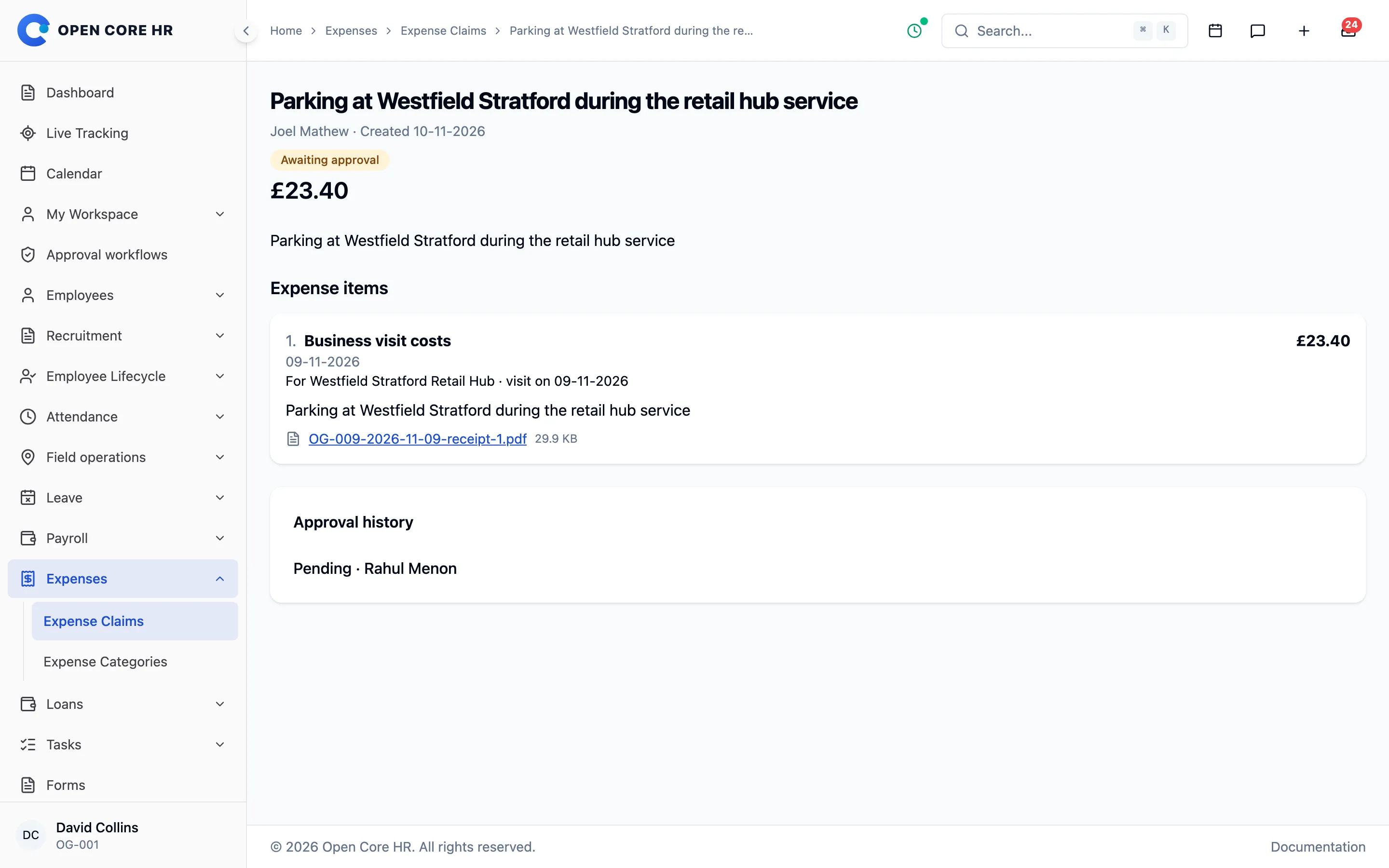
Set up pay the way you already pay
Group employees by pay frequency and currency, define earnings and deductions, and choose whether pay comes from fixed salary, imported time or attendance.
-
Pay groups Add-on Monthly, weekly or fortnightly groups, each with its own currency, timezone and proration rule.
-
Salary components Add-on Earnings, deductions, employer contributions and reimbursements as fixed amounts, percentages or quantity times rate.
-
Three pay sources Add-on Fixed salary, manual or imported time, or Open Core HR attendance and leave.
-
Unpaid breaks and overtime Add-on Up to 5 fixed unpaid breaks, an overtime multiplier, and overtime approved during review.
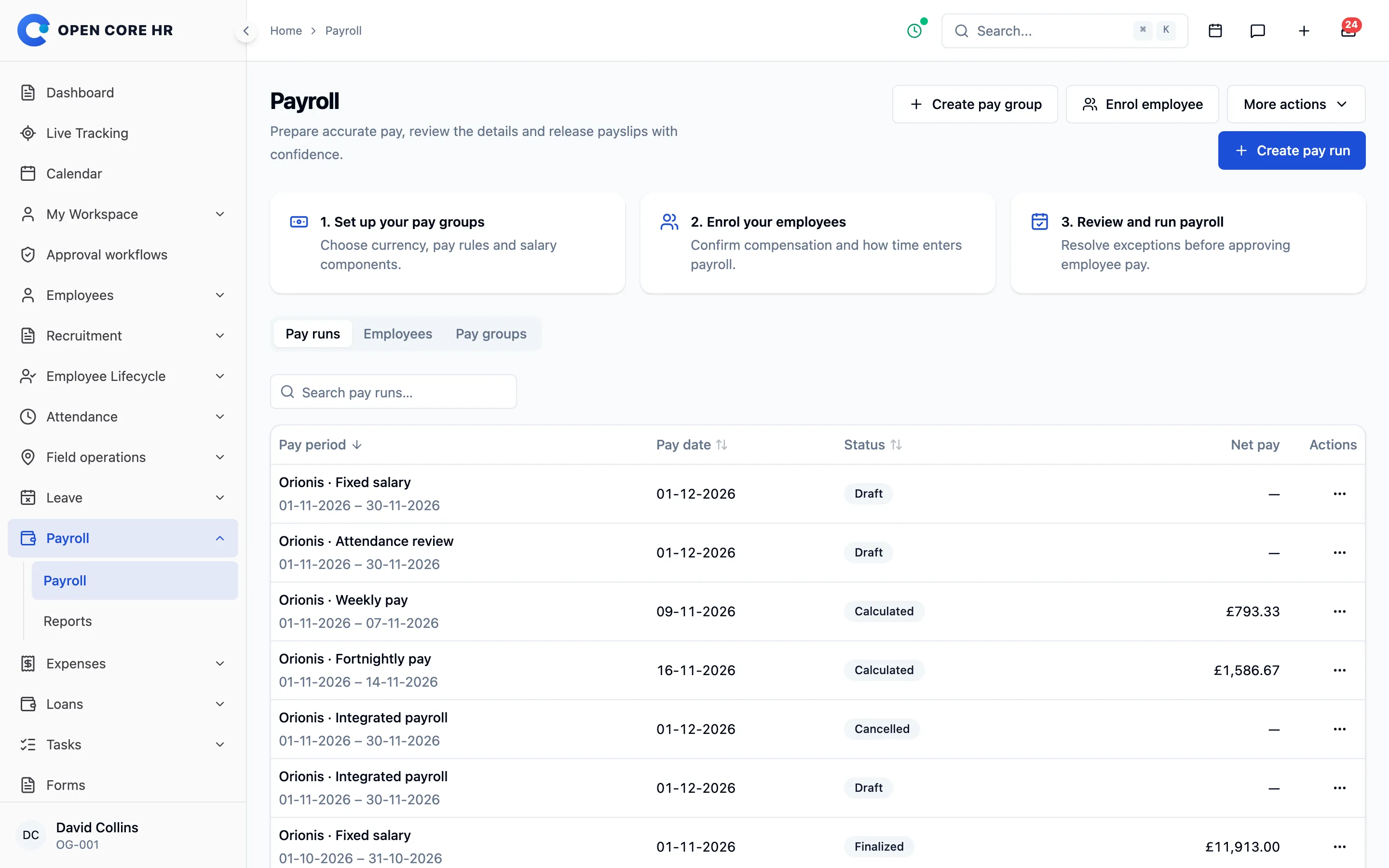
Review inputs, then approve the run
Check hours and exceptions before calculating, read how each amount was reached and send the run through approval before anyone is paid.
-
Input review Add-on Daily hours, exceptions to resolve, a time CSV import and one-off adjustments that need a reason.
-
Explained calculations Add-on Every amount on a pay line shows how it was calculated.
-
Multi-step approval Add-on Runs go through the shared approval inbox, and self-approval is off unless you allow it per group.
-
Correction runs Add-on Adjust a finalised run without recalculating the past.
-
Payment recording Add-on Partial payments, references, reversals and a payment file for your bank.
Payslips employees can open on their phone
Release payslips as PDFs, bring in loans, expenses and settlements, and hand your accountant summary and journal files.
-
Payslip PDFs Add-on Employees open and share released payslips on the web or in the app.
-
Loans, expenses and settlements Add-on Deductions, reimbursements and settlement amounts flow into pay runs and can never be paid twice.
-
Payroll reports Add-on A summary CSV and an accrual journal grouped by component for your accounting system.
-
Pay day and payslip note Add-on Set a default pay day and a note printed on every payslip.
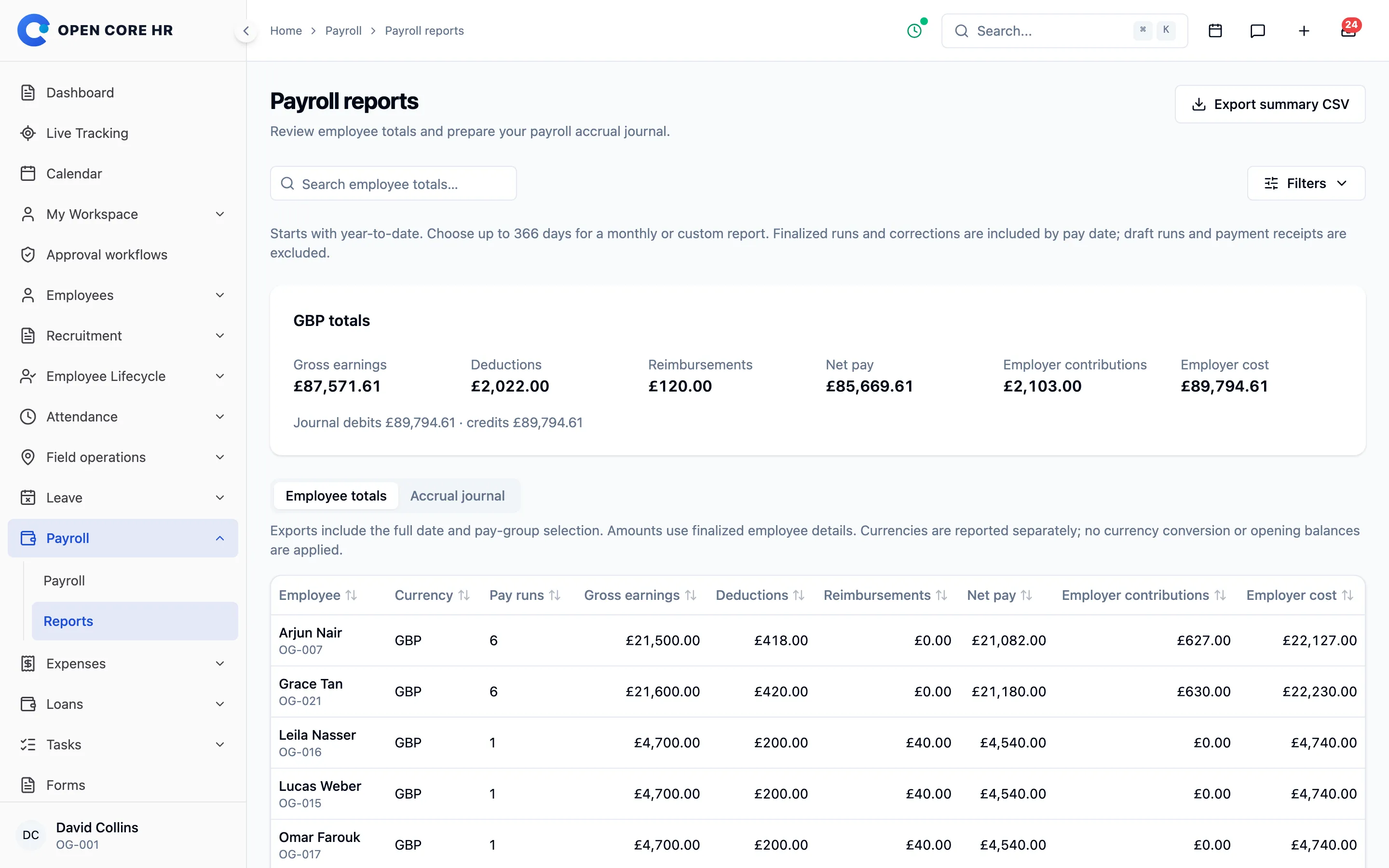
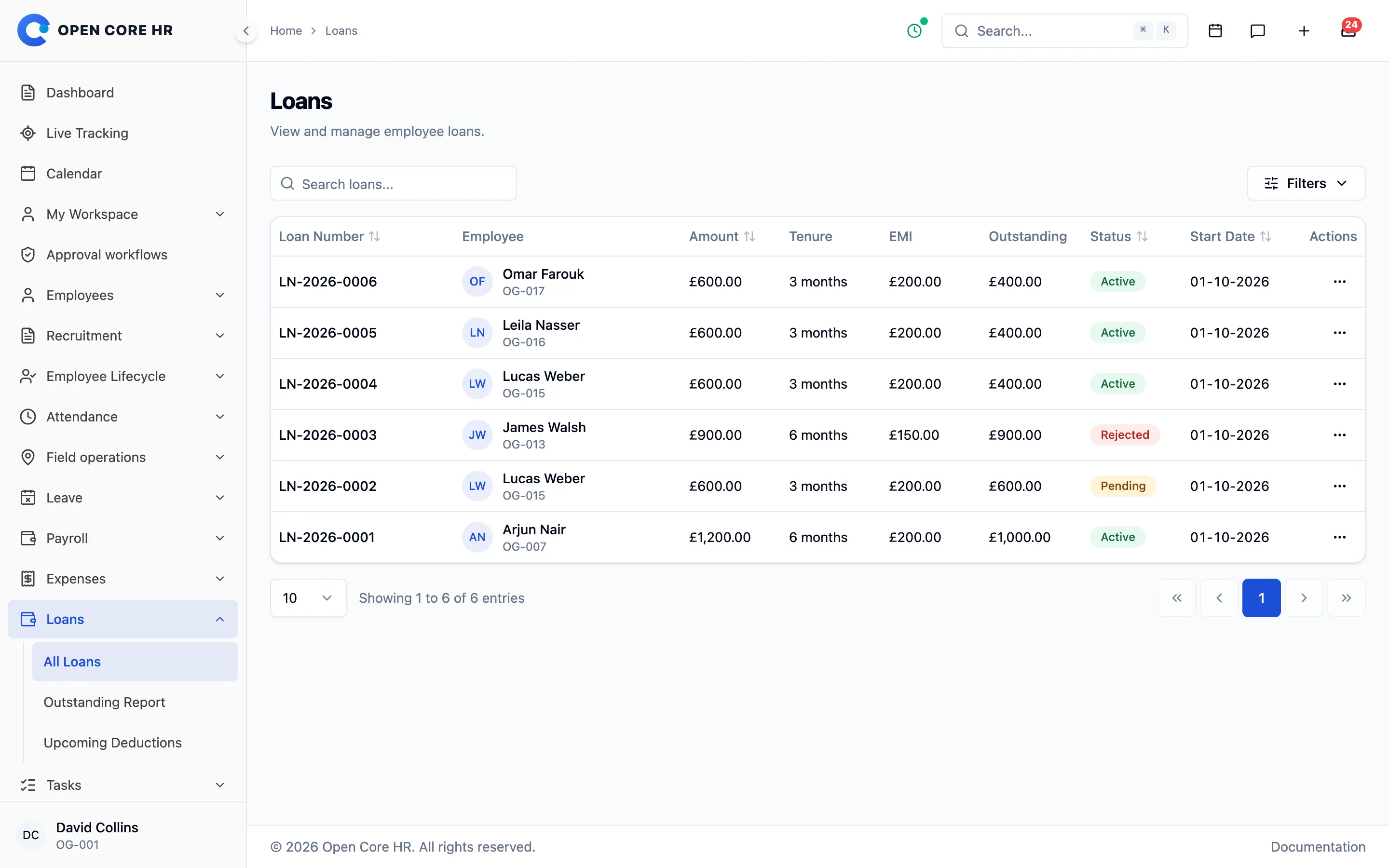
Employee loans from request to last instalment
Employees apply with an estimated instalment, approvers decide, and repayments are deducted on schedule until the loan closes.
-
Loan applications Add-on Employees choose an amount, tenure and start date, see an estimated instalment, and can withdraw a pending request.
-
Security deposits Add-on Record cheques and documents held against a loan, and mark them returned.
-
Approval and disbursement Add-on Loans go through your approval workflow before they are paid out.
-
Repayment schedule Add-on Confirm or reject scheduled instalments and record repayments.
-
Closing and loan settings Add-on Close repaid loans automatically or by hand, and set the maximum tenure and deduction day.
-
Loan reports Add-on Outstanding balances and the deductions due in upcoming payroll.


Explore every part of Open Core HR
CZ App Studio
Give your people a better place to work.
Tell us how your company works. We’ll help you find the right Core, add-ons and installation approach.