
Which day gets the hours when a night shift ends after midnight?
A security officer working Monday at 10 p.m. to Tuesday at 6 a.m. crosses two calendar dates. The attendance record in Open Core HR belongs to the day the shift began.

A supervisor investigating a missing Tuesday check-out can spend a long time looking at the wrong row. Start with the date of check-in. In Open Core HR an overnight attendance session stays attached to its starting work date, including the checkout after midnight.
Work through one example
For a fictional Chicago site, use Monday, November 23, 2026 at 10 p.m. to Tuesday, November 24 at 6 a.m., Central Time. Those dates have no daylight-saving change during the shift, so the elapsed interval is eight hours. Set the sample site and employee time settings before checking the record. The employee checks Monday's session for both timestamps. The manager checks the shift and recorded work periods before deciding what to approve. Break rules and payroll settings can change payable time, so eight elapsed hours alone do not settle pay.
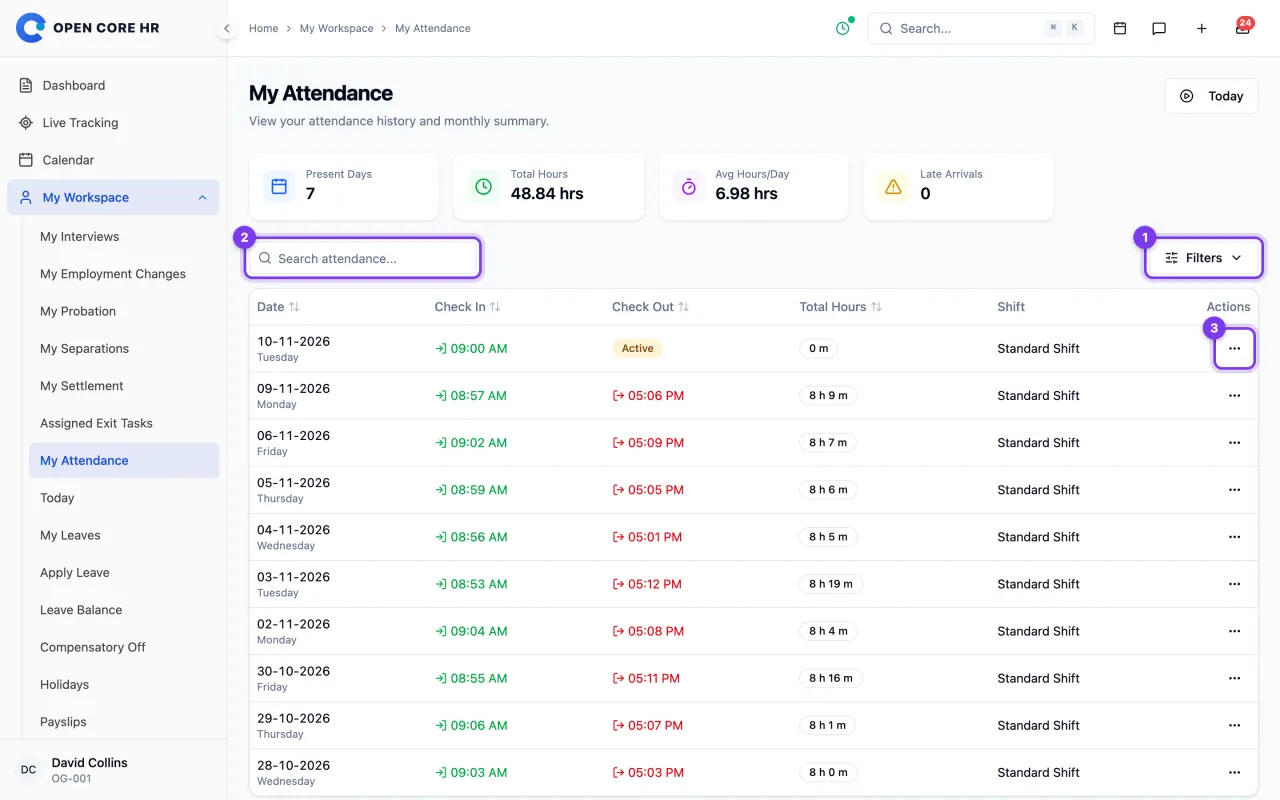
If multiple check-ins are enabled for that shift, inspect the separate sessions. A second check-in can follow checkout. Two sessions cannot overlap. If the first session still appears active, find out whether the employee forgot to clock out or whether the phone is still waiting to send a saved request.
What to do with an incorrect finish time
Ask the employee for the actual start and finish and which shift they worked. Open the attendance detail for the starting work date. Use the correction process if the record is wrong. The proposed correction goes to a reviewer and the recorded time changes upon approval.
When handing this over to night supervisors, put one completed sample in their guide with both dates written out. The next person covering the 6 a.m. handover will know exactly where to look. See the employee attendance and correction steps.
For a crew covering several posts, give each supervisor the same example and a person to contact about corrections. See the security-services workflow when planning the wider rollout.



Comments 0
No comments yet. Start the conversation.